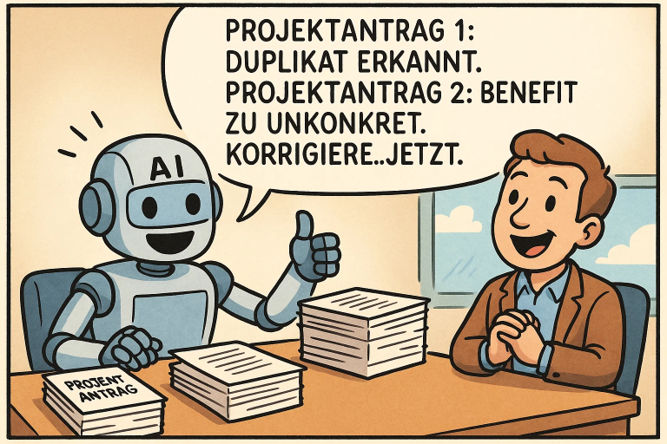
With Copilot Cowork, Microsoft is bringing a new dimension to AI-supported collaboration: instead of individual prompts, project managers and PMOs now delegate entire work packages to an AI agent that plans, executes and delivers results independently. What does this mean in concrete terms for PMOs - and how does a modern PPM solution like Altus PPM fit into the picture?
In brief:
- Copilot Cowork has been generally available (GA) worldwide since 16 June 2026; it requires the Microsoft 365 Copilot license (USL) and is billed on a usage basis via Copilot Credits.
- Instead of responding to individual prompts, Cowork independently handles entire task chains - from planning to a finished result.
- Since August 2026, tasks can also be triggered by events, such as an incoming email or a Teams mention.
- External systems such as Miro, monday.com or LSEG connect via MCP plugins; Altus PPM provides the structured data foundation for projects and portfolios.
- With support for Microsoft Project Online ending on 30 September 2026, migrating to a modern PPM solution such as Altus PPM becomes urgent - often achievable within a day.
From chat help to digital project assistant
Anyone who has used Microsoft Copilot in their day-to-day project work will be familiar with the pattern: ask a question, get an answer, continue working. Copilot Cowork fundamentally changes this pattern. Instead of responding to individual inputs, Cowork takes over entire task chains - and processes them independently over a period of minutes or hours.
For example: you ask Cowork to prepare a project status meeting. The AI searches your emails and team messages for relevant updates, creates a summary in PowerPoint, pulls current key figures from Excel and creates a suggested date in the calendar. This all happens in the background - you stay in control at all times and can check progress or correct course.
What Copilot Cowork changes for PMOs
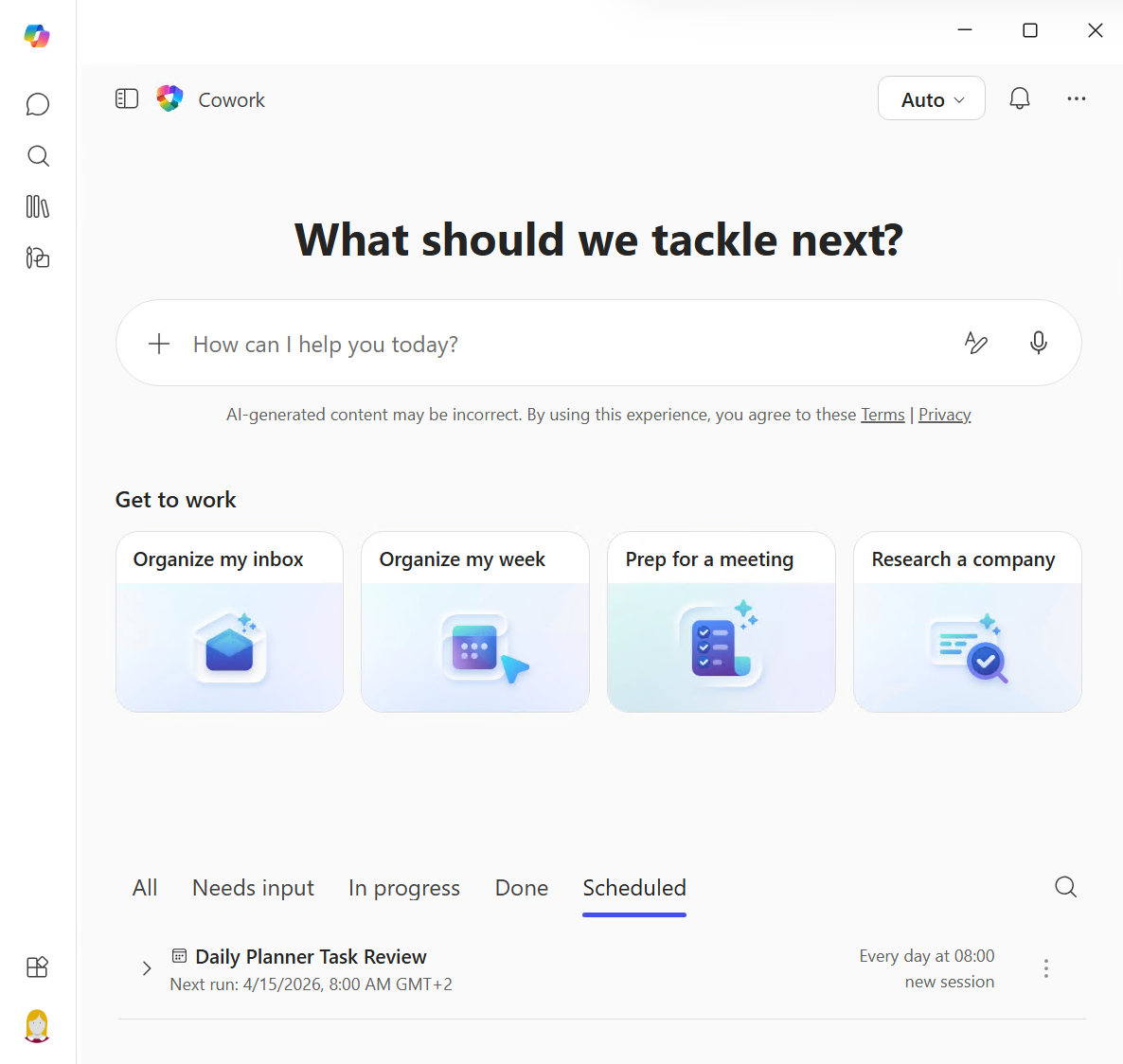
Cowork offers several concrete benefits for project management offices. The most obvious: saving time on recurring tasks. Compiling monthly status reports, updating stakeholder presentations or maintaining milestone overviews - tasks that take hours today can be delegated to Cowork as a work order.
Since August 2026, this automation can be applied even more precisely: with event-driven tasks, Cowork no longer only runs on a fixed schedule but reacts to specific events - such as an incoming email about a particular project or a Teams message that mentions the PMO. Instead of manually monitoring an inbox or channel, the project manager describes the trigger, and Cowork proposes the matching automation for approval - for example: "When a message containing the word 'risk' arrives in the 'Project X' channel, summarize it and notify me by email." For PMOs, this marks a further step from reactive to proactive work: critical signals from stakeholder communication are picked up automatically instead of only surfacing at the next status meeting.
Cowork also thinks across the board. The AI accesses files, calendars, emails and chat histories and links information that is scattered across various Microsoft 365 applications. For PMOs, who often act as an information hub between specialist departments and management, this is a significant productivity gain.
Importantly, Copilot Cowork works within the existing Microsoft security and governance structures. Authorizations, compliance guidelines and audit trails are retained - a decisive factor for company-wide use in the PMO. With general availability, these controls are firmly in place: Cowork prompts, responses and generated artifacts flow through your existing Microsoft 365 controls (audit log, eDiscovery, DSPM, Insider Risk Management), and sensitivity labels are inherited end-to-end.
Agents instead of assistants: The next evolutionary stage
What sets Cowork apart from previous Copilot functions is its agent-based architecture. Cowork breaks down a request into sub-steps, selects the appropriate tools and coordinates their execution. Microsoft is deliberately talking about a change: away from a pure assistant and towards an acting agent.
For project managers, this means a paradigm shift. AI is no longer just asked - it is commissioned. It creates a plan, indicates checkpoints and delivers a finished result at the end. This is reminiscent of delegating to a team member: placing an order, checking intermediate statuses, approving the result.
To do this, Cowork uses specialized skills as tools: built-in ones such as Deep Research, Excel or Scheduling, custom skills for tasks like budget analyses, status reports or risk assessments, and plugin skills from partners. The result is a reusable toolset that works for the PMO. Since September 2026, Cowork can also edit existing Word, Excel and PowerPoint files directly in OneDrive or SharePoint while preserving the shared file and its version history - for example, to update a running status report or project plan instead of creating a new version alongside it.
Since 10 September 2026, the toolset also includes the new App skill, initially available through the Microsoft Frontier program: instead of asking for a finished application, the PMO describes the solution it needs in chat - an onboarding or task tracker, for example - and Cowork builds a complete app, including a connection to existing data sources and connectors. The result can be refined through further conversation, published and shared with colleagues; published apps show up centrally in the Microsoft 365 admin center, so IT retains governance. For PMOs, this considerably lowers the bar for small, self-built tools - a single prompt can now be enough.
Microsoft has since unveiled the logical next step in this principle: with Microsoft Scout, the first autonomous “autopilot” agent no longer needs to be commissioned – it works in the background on its own initiative, detects risks and triggers tasks. You can read what this means for PMOs in our article on Microsoft Scout in the PMO.
MCP: How AI agents connect external systems
A question that many project managers ask themselves: Can Copilot Cowork operate beyond the Microsoft 365 world and write to third-party systems? It now can: with general availability (16 June 2026), the Cowork plugins (skills and connectors) are live, connecting external systems via the Model Context Protocol (MCP). The partner catalog has grown substantially since then: according to Microsoft's official plugin directory, it now spans well over 100 plugins - from project and collaboration tools (including Miro, monday.com, Asana, Notion, Trello) to CRM/ERP connections (including HubSpot, SAP via enosix) and financial data (including LSEG, Moody's Credit MCP, Morningstar) - and Microsoft says the catalog keeps growing. The Microsoft plugins for Dynamics 365 (Sales, Customer Service, ERP) and Fabric IQ are GA as well. Since September 2026, Cowork plugins are also available on the mobile app. MCP, the open standard that lets AI agents access external data sources and APIs, has been generally available in Copilot Studio since 2025.
For comparison: Claude Cowork - the technological basis of Copilot Cowork - connects external systems directly via MCP connectors. For example, it can read sales information on won projects from the CRM system such as HubSpot, create a project in Altus or Projectum xPM, assign Jira tickets to available resources or send team messages without having to go through an orchestration platform. Both approaches are moving in the same direction: AI agents that not only read, but actively act in company systems.
| Feature | Copilot Cowork | Claude Cowork |
|---|
| Ecosystem | Microsoft 365 (Word, Excel, PowerPoint, Outlook, Teams) | Platform-independent (not tied to Microsoft 365), works directly with connected MCP systems |
| Connecting external systems | Via Cowork plugins (skills and connectors) built on MCP | Directly via MCP connectors, without a separate plugin layer |
| Connectable systems | Well over 100 partner plugins, including Miro, monday.com, LSEG | Any MCP server, including Jira, HubSpot, Dataverse/Altus PPM |
| Underlying models | Anthropic Claude (Opus 5, Sonnet 5, Fable 5.1) and OpenAI (GPT-6 Astra, GPT-5.6 Sol, GPT-5.6 Terra; GPT-5.5 in the Frontier program) | Anthropic Claude models |
| Use in a PPM context | Automates tasks in Outlook, Teams, Word, Excel, PowerPoint and OneDrive/SharePoint | Can read and write directly in Altus PPM, Projectum xPM and Jira |
Looking for a modern PPM solution? The most important questions
With the end of support for Microsoft Project Online on 30 September 2026, many organizations are faced with the question of how to future-proof their project and portfolio management. The same questions keep cropping up:
How do I migrate from Project Online to a modern solution? Solutions such as Altus PPM make it possible to migrate existing Project Online data in the shortest possible time - often within a day. Altus runs directly in its own Microsoft 365 tenant and stores all data in the dataverse so that the company retains full control.
Can the new PPM solution work with AI agents such as Copilot Cowork? As Altus PPM is natively based on Microsoft 365 and the Dataverse, the basis for collaboration with Copilot is already in place. Project data, portfolio overviews and resource plans are located exactly where Copilot Cowork can access them - without additional interfaces or data silos.
Do I still need a stand-alone PPM tool if Copilot can do everything? Copilot Cowork is an execution and orchestration tool - not a PPM system. It can aggregate information, create reports and coordinate tasks. But the structured recording, prioritization and management of projects and portfolios still requires a specialized platform. Copilot Cowork and Altus PPM complement each other: the PPM system provides the database and process logic, Copilot Cowork automates the work with it.
How do I integrate Jira, Azure DevOps or Planner into my portfolio management? Altus PPM integrates seamlessly with Planner, Project, Jira and Azure DevOps. This creates a centralized view of all projects - regardless of which tool the teams use in their day-to-day operations.
What to do now
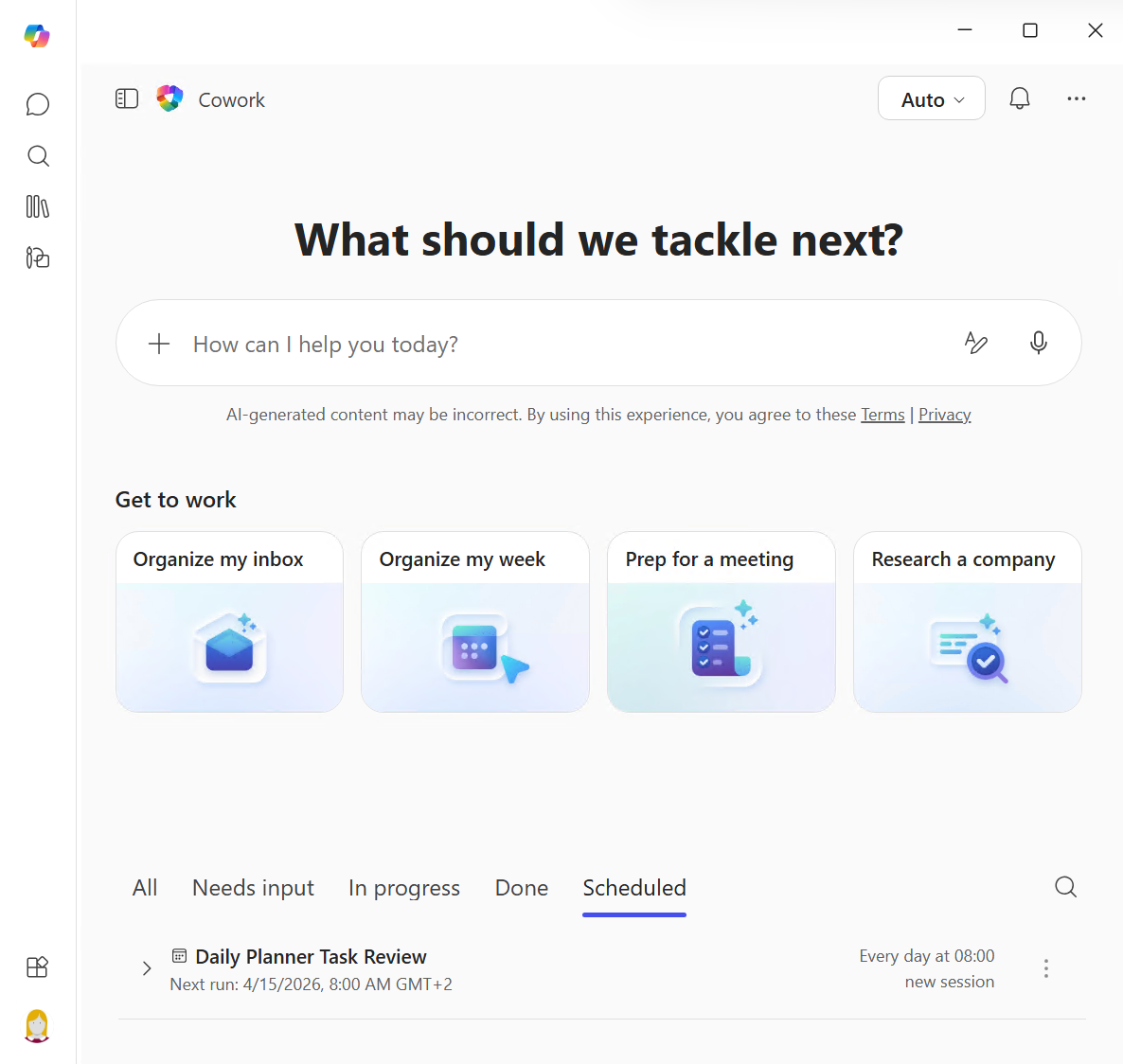
Copilot Cowork has been generally available (GA) worldwide since 16 June 2026 – after around three months of preview in the Microsoft Frontier program. It requires the Microsoft 365 Copilot license (USL); Cowork usage itself is billed on a usage basis via Copilot Credits (pay-as-you-go at $0.01 per credit, or the upfront P3 commitment for a discount). Cowork is off by default in the tenant – since September 2026, access is governed exclusively through a spending policy in the Microsoft 365 admin center that selects Cowork as a service and sets budget limits; the earlier method of enabling Cowork via the agent entry under “All Agents” no longer has any effect on access. Cowork lets you choose between several models: currently Claude Opus 5 and Claude Sonnet 5 from Anthropic, plus Claude Fable 5.1 – available since September 2026 as the successor to Fable 5 for the most demanding work – as well as GPT-5.6 Sol and GPT-5.6 Terra and the GPT-6 Astra model, available since 4 September 2026, from OpenAI (GPT-5.5 in the Frontier program); by default, “Auto” lets Cowork pick the right model for each task. Since 6 October 2026, the Viva Insights Copilot Analytics dashboard also provides deeper metrics on Cowork usage and consumed Copilot Credits - including export and the Consumption and Person queries for analysts - helping PMOs track Cowork's rollout and costs over time. It is worthwhile for PMOs to evaluate at an early stage which recurring processes are suitable for delegation to Cowork - and at the same time make their own PPM infrastructure fit for the AI era. Holert offers the right workshop format for this with the PMO AI Power Day.
The right combination is crucial: a modern PPM system such as Altus PPM as a structural basis, supplemented by AI agents such as Copilot Cowork for operational automation. Bringing these two building blocks together creates the conditions for a PMO that works faster, more data-driven and more strategically.
Frequently asked questions about Copilot Cowork
What is Microsoft Copilot Cowork?
Copilot Cowork is a feature in Microsoft 365 that independently processes multi-stage tasks in the background. Instead of individual prompts, users delegate entire work packages to an AI agent that plans, executes and delivers results autonomously.
Can Copilot Cowork access external systems via MCP?
MCP (Model Context Protocol) has been generally available in Copilot Studio since 2025 and enables the connection of external data sources and APIs. With the GA of Copilot Cowork on 16 June 2026, the Cowork plugins (skills and connectors) are also generally available: the partner catalog has since grown to well over 100 plugins (including Miro, monday.com and LSEG), and Microsoft says it keeps growing; the Microsoft plugins for Dynamics 365 and Fabric IQ are GA as well.
What are event-driven tasks in Copilot Cowork?
Since August 2026, Cowork can run tasks not only on a fixed schedule but also triggered by events: when a matching email arrives or the user is mentioned in a Teams message, Cowork automatically proposes the matching action for approval.
How do I migrate from Project Online to a modern PPM solution?
Solutions like Altus PPM enable migration of existing Project Online data in the shortest possible time - often within a day. Altus runs directly in your own Microsoft 365 tenant and stores data in Dataverse.
Do I still need a PPM tool if Copilot Cowork automates everything?
Yes. Copilot Cowork is an execution and orchestration tool, not a PPM system. The structured recording, prioritisation and management of projects still requires a specialised platform like Altus PPM. The two complement each other.
Is Copilot Cowork already available?
Yes. Copilot Cowork has been generally available (GA) worldwide since 16 June 2026. It requires the Microsoft 365 Copilot license (USL); Cowork usage is billed on a usage basis via Copilot Credits. Access is governed exclusively through a spending policy that selects Cowork as a service – the earlier method of enabling access via the agent entry no longer has any effect, as of September 2026.
PMO AI Power Day: Experience AI agents in the PMO in practice
Want to do more than just read about Copilot Cowork, connecting external systems via MCP and an AI-ready PPM foundation – and try it out for your own PMO? Copilot Cowork automates execution – but the gap often sits one level earlier: without clean project data, clear processes and defined approvals in Planner, Project or Jira, the agent has no reliable foundation to work from.
This is exactly where Holert comes in: at the PMO AI Power Day, we bring your project and portfolio management landscape on Microsoft 365 and Atlassian into a structure that AI agents such as Copilot Cowork can reliably use. For customers such as Amer Sports, KUKA and Rohde & Schwarz, we built exactly this foundation – from migrating off Project Online (Amer Sports: Altus PPM, Planner, Project Desktop and Jira; KUKA: Projectum xPM and Azure DevOps) to moving off Project Server onto a modern PPM solution (Rohde & Schwarz). You can see what this looks like in practice in our customer references. In a compact format, we combine the latest AI trends with concrete use cases for your project and portfolio management.
 Renke Holert
 Renke Holert : Jun 17, 2026, 12:30:50 AM