



Impact faster
We help organizations achieve their goals faster with next-generation project and portfolio management apps from and for Microsoft 365 and the Atlassian Cloud.
With special expertise in successor solutions for Microsoft Project Online
Does this sound familiar?
In many places, your organization uses Excel for project management
There are too many tools for project management, even from Microsoft
There are many annoying and time-consuming manual tasks in the PMO
What if instead...
Your teams use the best tools for project management
The project data is integrated and available at any time at the touch of a button
You gain helpful insights and manage your projects even more successfully
Nextgen PPM/xPM
We offer the development and optimization of PMOs and VMOs with the leading software solutions for portfolio, product and project management from and for Microsoft and Atlassian. These include Azure DevOps, Planner, Teams, Power BI, Project, Jira as well as the next-gen solutions Altus PPM and Projectum xPM, which are based on your existing Microsoft 365 environment – with data residency in Germany, Austria or Switzerland (Frankfurt, Berlin, Vienna, Zurich, or Geneva).
A focus area: the migration of Microsoft Project Online to these next-gen PPM solutions. → Learn more about Project Online migration in our FAQ
25+ years of Microsoft PPM experience, 35+ employees, offices in Munich, Hamburg, Berlin, Oldenburg, Vienna and Graz. Our DACH customers include Rohde & Schwarz, KUKA, KWS, LAPP, Amer Sports, KPT Krankenkasse, Stadtreinigung Hamburg, Accompio, Frischli, Swoboda and SteelcoBelimed (Miele).
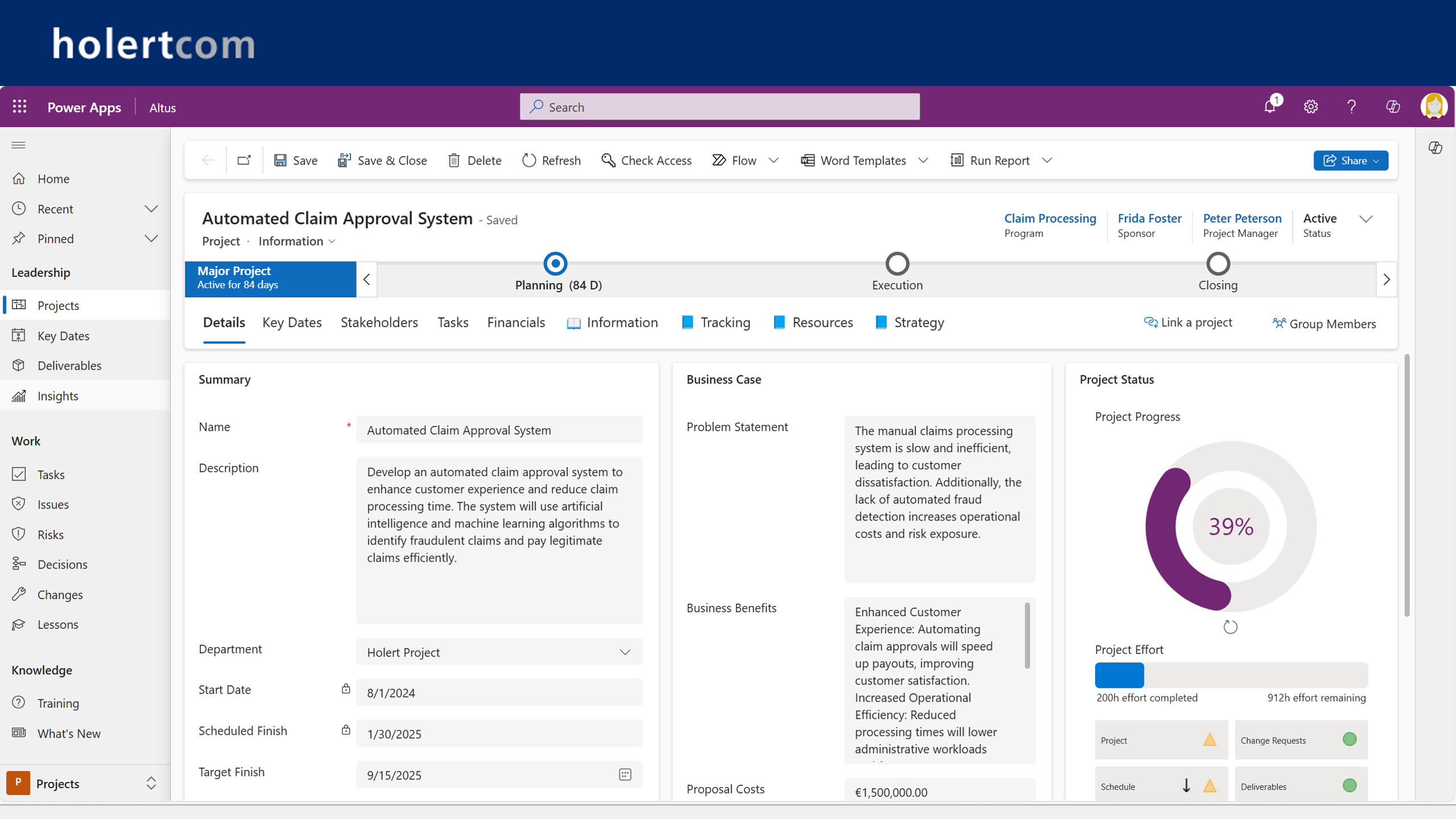
Capture project proposals
Easily convert ideas into digital project proposals or let the AI transfer content from other sources into structured project proposals. Depending on the scope, use AI help to capture only the most important data such as the project brief and other details such as the cost plan, resource plan, risks and stakeholders.
Evaluate project applications
Evaluate each project proposal in a standardized way according to the strategic objectives and determine a clear ranking.
Plan scenarios
Check in the order of prioritization whether the budget and resources are sufficient. By simply shifting, you can immediately see what you can realistically achieve
Plan resources
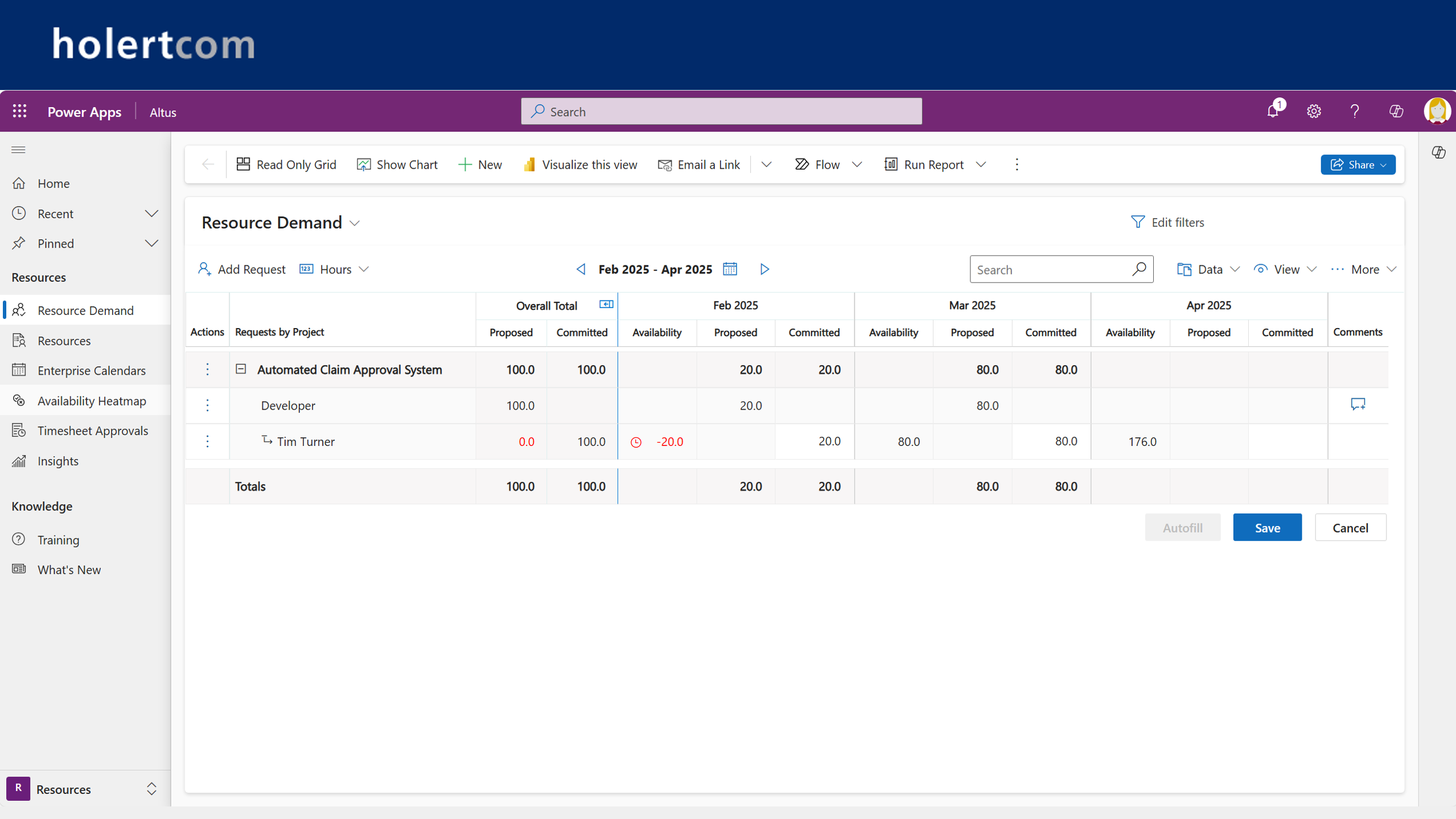
Team leaders then receive resource requests for their team from the project managers and can select available and suitable employees with the support of the software.
Manage projects
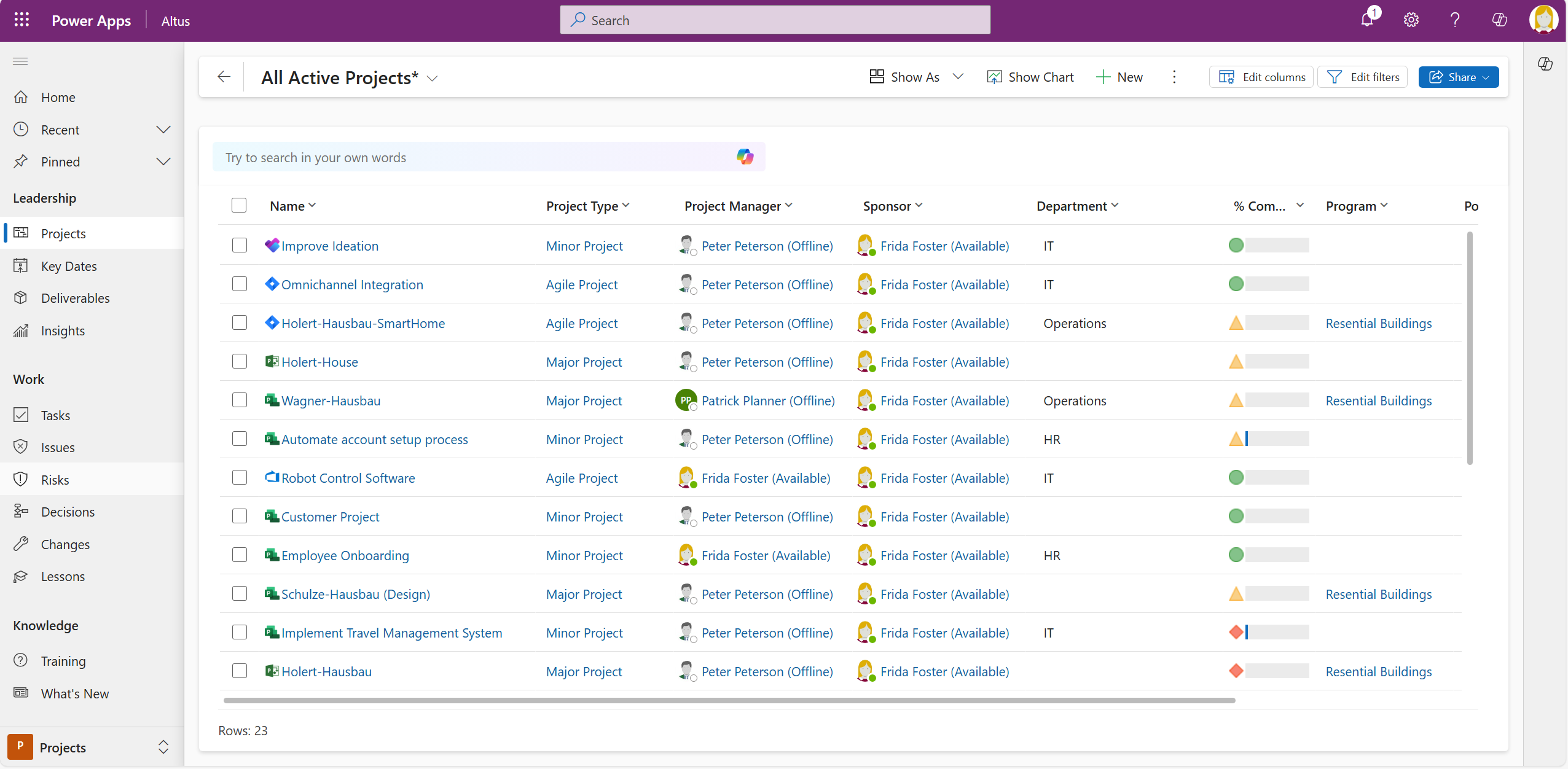
See all projects and agile initiatives in one place, regardless of whether they are planned in Microsoft Project, Planner, DevOps, Jira or other project management tools at a detailed level.
Record project times and progress
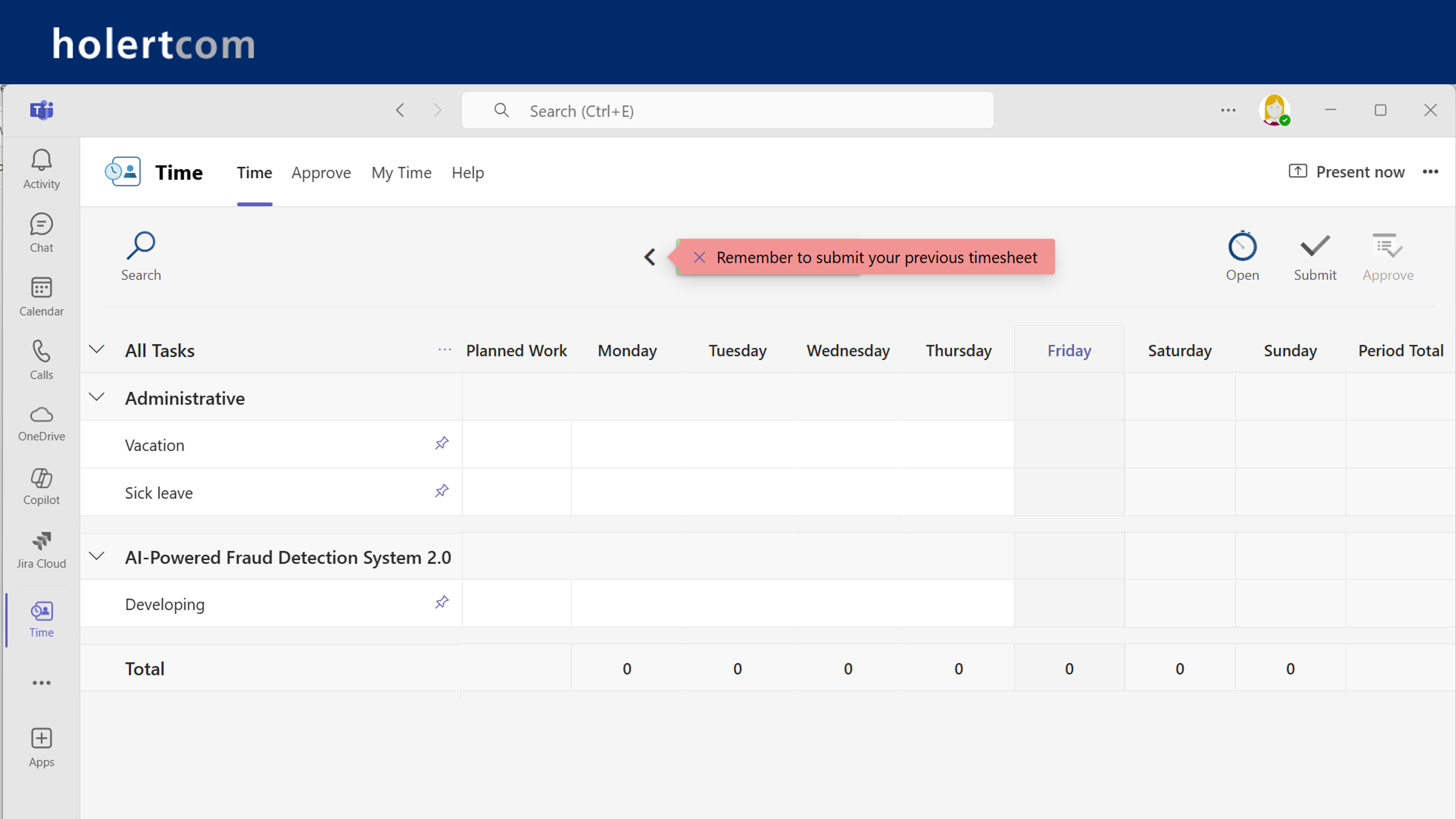
Give your employees a central location for time recording regardless of the system they use, e.g. Planner, Project, Azure DevOps, Jira - even in Microsoft Teams.
Data-based decisions
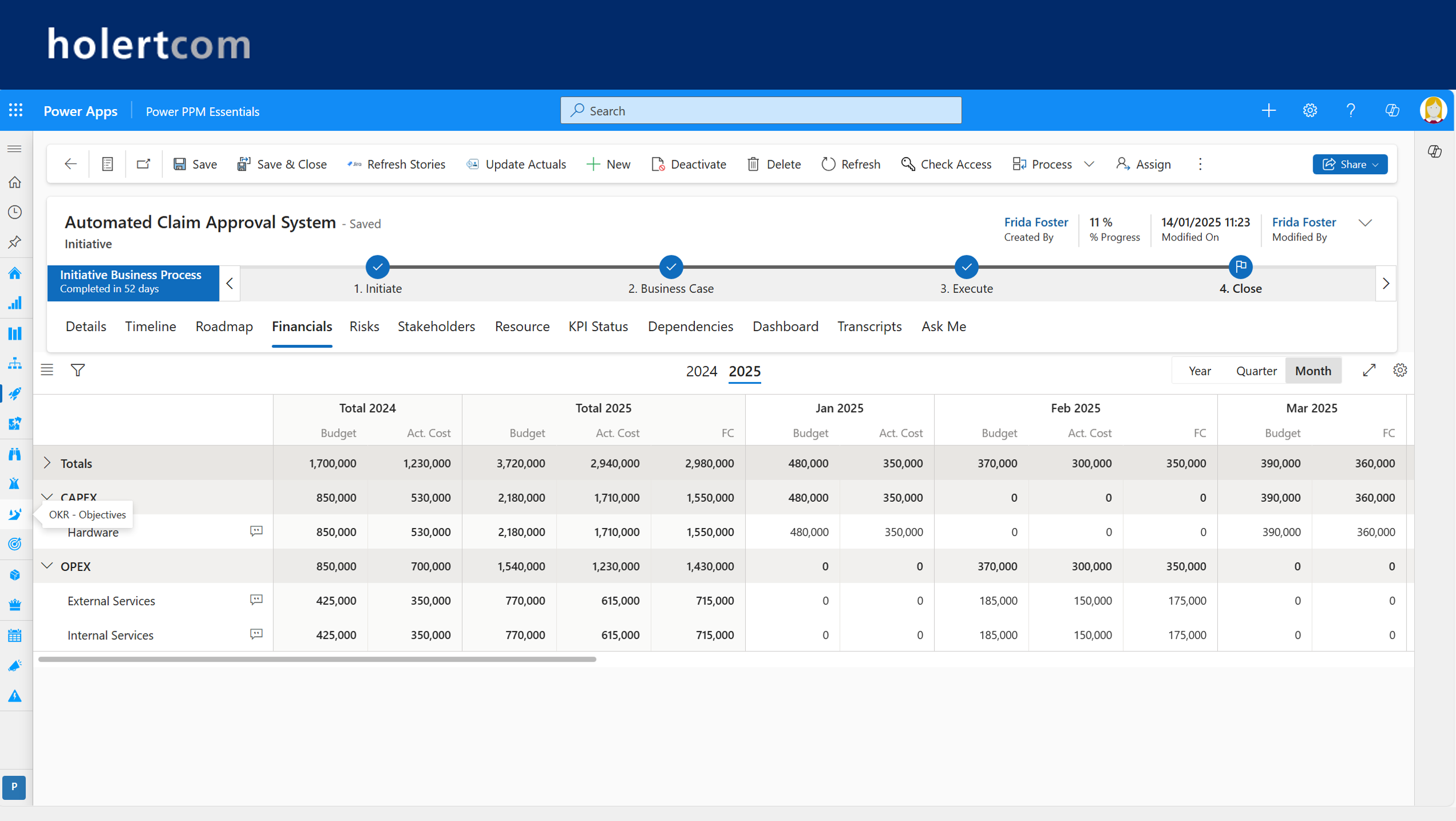
Monitor the key performance indicators (KPIs) and reports of your portfolio in Microsoft Power BI. Using AI functions, you can have human language automatically generate reports or ask questions about the data - even about historical data.
Integration
Integrate other internal and external systems such as SAP for financial data via the large number of prepared connectors
Automation
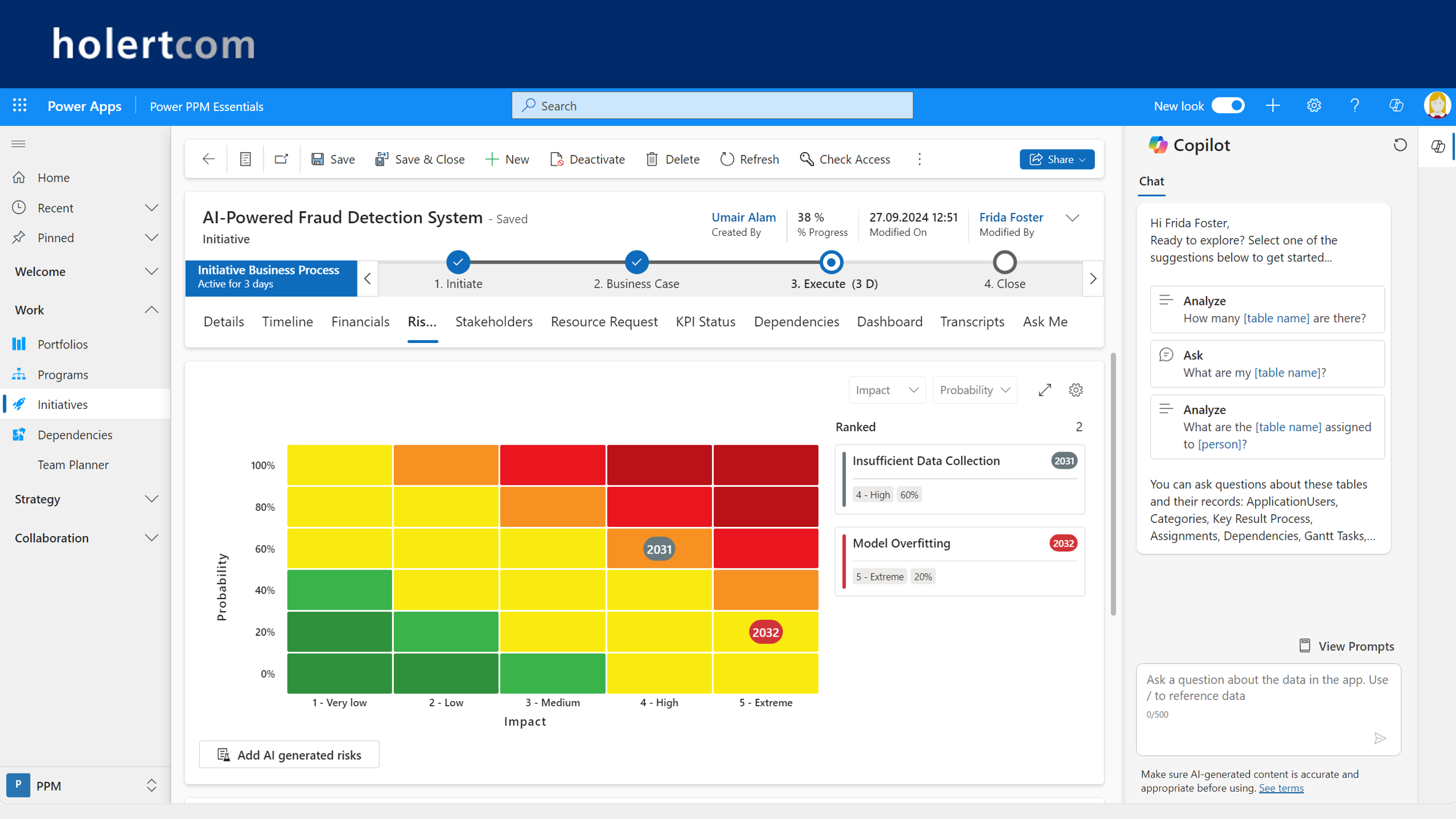
Automate tedious manual project management tasks with artificial intelligence (AI).
Integrated
Completes and integrates what is missing
Uses existing Microsoft 365 apps such as Power BI, Microsoft Teams, Project and Planner and integrates tools such as Azure DevOps, Jira and SAP as standard

Automated
With process automation and artificial intelligence
Automates many processes, supported by Copilot and other AI technologies that relieve you of a lot of tedious manual work.

Safe
All data in your Microsoft environment
The software runs entirely within your Microsoft 365 environment, which means that you and your IT have full control over all data. Your IT already knows the ropes and you save yourself lengthy approval processes.

The cooperation with Holert is really recommendable. They are much more than just a Power Apps or Power BI development company — first and foremost a consultancy that can also implement what they advise.
We work a lot with Holert and they always solve our challenges, they have a lot of expertise and you can rely on them 100%.
Together with Holert, we sat down and asked ourselves how we could represent the many projects coming our way in a way that truly matched our own terminology. We then adapted the software accordingly, a process that was actually quite quick and straightforward - and in the end, we felt it really reflected our needs.
Working with Holert has been very successful. You have always found the right solutions to our problems and implemented them. This has allowed us to benefit from your experience. I am therefore delighted that we have worked together so successfully and will continue to do so.
I particularly liked the documentation provided. It was possible to check the current status at any time. You are very professional and you simply understand how to identify and perceive needs as they really are and try to find solutions for them.
I definitely recommend Holert due to the very high level of expertise and the pragmatic and thus strongly customer-oriented consulting approach.
The cooperation is very pleasant and the commitment of the employees, even after many years of working together, is very good.
Our consultant from Holert - Great, customer-oriented, fantastic.
Altus PPM
Short 8 minute overview of Altus. More in the recording of our event with Miele and our future event with Stadtreinigung Hamburg.Further customer references from Amer Sports, LAPP, accompio, KWS, Frischli and swoboda
Further information can be found on the manufacturer's website: https://www.altus.pro
Projectum xPM
Short 8 minute overview of Projectum xPM (Power PPM). More in the recordings of our previous events with VOLVO and KPT and in our future events with Rohde & Schwarz and KUKA.
Further information can be found on the manufacturer's website: https://contextand.com/what-we-do/projectum-xpm
Frequently asked questions about Altus PPM and Projectum xPM
For more answers – e.g. on pricing, GDPR, migration and AI in the PMO – see our full FAQ.
-
Why do you offer two alternative solutions for project and portfolio management, Altus and Projectum xPM?
We see ourselves as neutral consultants for our customers and try to find the most suitable project and portfolio management solutions for each customer with a focus on the Microsoft and Atlassian world.
-
What distinguishes Altus and Projectum xPM from other project and portfolio management solutions? What are the unique selling points of each?
In short, for Microsoft 365 including data storage exclusively in the Microsoft environment of your organization, there are no other solutions internationally with a complete range of functions for portfolio, project, product and resource management including scenario planning and time recording as well as historization and recovery of all data that are true standard products.
-
Is there a demo version for Altus and Projectum xPM that we can test ourselves?
Yes, we can provide you with Altus and Projectum xPM Essentials for testing in your Microsoft 365 environment within one day.
-
Which customers are already using Altus and Project xPM?
In addition to our customers Amer Sports, KWS, LAPP, Stadtreinigung Hamburg, Accompio, SteelcoBelimed (Miele), KPT, Rohde & Schwarz and KUKA in the DACH region, more than 400 companies worldwide use the two solutions. VOLVO, Heineken, Nordea, Hempel, SBM Offshore, Aalborg, Vattenfall, Convatec, European Energy, Bavarian Nordic A/S, FLSmidth & Co, Opal, Mater, Melbourne Airport, BeyondBank, Glencore, KBR, SA Power Networks, Pymble Ladies College, Life without Barriers and many more.
-
Can I use Altus and Projectum xPM to plan our resources?
Yes, both solutions have a built-in resource management function. You can plan resources both at task level and at project level. If desired, the project manager can visualize their requirements for each project with one click to the respective team leader, who can then easily assign the appropriate resources. The special feature is that you can also balance out which projects fit into your project portfolio from a resource perspective at a high level by simply moving them around.
-
How much training is required for Altus and Projectum xPM?
Altus and Projectum xPM are very easy to use. So simple that our customer Volker Jach was sent away by his project manager after just a few minutes with the words "That's obvious" after he tried to give him a brief introduction (see recording of the KPT customer presentation in the References section). Altus also contains video tutorials in the product.
-
Can I integrate Altus and Projectum xPM with Microsoft Teams?
Yes, both Altus and Projectum xPM can be integrated with Microsoft Teams. For example, you can create a team channel for each project or program and then display the associated documents within the app or access the application itself via Teams. Projectum xPM also includes Teams-integrated time tracking, which you can also use with the Microsoft Teams mobile app.
-
How can I migrate data from existing project management systems?
Migrating data from Project Online to Altus is particularly easy. You can simply activate the existing connector and the project data will be available in Altus within a short time. You can then specify which projects you want to use in Altus and see them in the reports provided. We also offer simple ways to transfer data for many other PPM solutions. As Altus can not only migrate the data once, but can also synchronize it over a longer period of time or even permanently, you can also migrate step by step.
-
Can I also transfer my employee data, including absences, from our existing system?
Yes, the easiest way is to synchronize the user data from the Active Directory or Entra Id to Altus and Projectum xPM, so that all users are automatically authorized according to their role and are available as resources for planning. If desired, additional data such as absence times or departmental affiliation can also be transferred from existing sources such as the HR system. All this can be done without proprietary additional tools.
-
Can Altus and Projectum xPM also be integrated with Outlook or Exchange?
This is our specialty. We have been offering integrations between project and scheduling solutions for over 25 years, including in conjunction with our Allocatusproduct . Probably no other company in the world has so much experience with the most diverse use cases, such as the transfer of absence times from the Outlook calendar, the visualization of tasks and milestones in the Outlook calendar or the task list or time feedback from the Outlook calendar.
-
Can our existing time recording system be integrated into Altus or Projectum xPM?
Yes, as an alternative to the Altus and Projectum xPM project time recording systems supplied, you can also integrate your own time recording system, such as SAP CATs. You can also integrate attendance time recording.
-
Can Altus and Projectum xPM be adapted to our organization?
Yes! One of the great strengths of Altus and Projectum xPM that many views such as Gantt, Kanban and Roadmap can be highly customized with just a few clicks.
-
Can I also use Altus and Projectum xPM internationally?
Yes, both solutions come in English as standard. Together with the manufacturers, we offer translations for all common languages on request. Users can then decide for themselves in which language they want to use the application.
-
Can I use my own project templates in Altus and Projectum xPM?
Yes, with Altus, depending on the planning tool used, and with Projectum xPM in its own scheduler, several templates can even be combined in a simple way. However, Holert's AI-supported planning function makes it even easier.
-
Can I define my own project types in Altus and Projectum xPM?
Yes, you can define which data should be recorded for each project type and the process according to which it should run through the project life cycle. This allows you to effectively manage projects in different areas such as customer projects, development projects and internal projects, projects of different sizes and projects that are implemented using different methods, e.g. agile, hybrid or V-model.
-
Which reports are included with Altus and Projectum xPM?
Both Altus and Projectum xPM come with a variety of reports that cover all typical project and portfolio management issues. These are updated regularly and can be easily adapted to your own requirements. The special feature is that the reports take account of authorizations on request, i.e. each user only sees in the reports what they are allowed to see. We also offer a function that allows you to historicize the entire data (!) and restore it at any time.
-
Can I map idea management with Altus and Projectum xPM?
Yes, both Altus and Projectum xPM have idea management as standard. In Altus, business challenges can also be defined against which ideas can be collected. Ideas can then be evaluated with AI and, if selected, converted into project proposals or projects via definable process steps.
-
Can I define who sees which data, e.g. resource utilization in Altus or Projectum xPM?
Yes, depending on the respective roles, you can define exactly who can see what. This is possible at table level, e.g. projects, resources, but also at field level. In other words, you can define very specifically who can see and, if necessary, edit what, in which role and at what time?
-
How will Altus and Projectum xPM be further developed?
Altus and Projectum xPM continuously develop their solutions and provide new versions at regular intervals. The special thing about Altus is that the upgrade process can be fully automated on request. Both manufacturers and we provide regular information about the planned new developments and involve existing customers in the planning at regular customer events.
-
How can non-project-related tasks and employee absences such as vacations be included in Altus and Projectum xPM for meaningful capacity planning?
Both Altus and Projectum xPM allow the recording of line activities and other non-project-related activities. In addition, absence times such as vacation, parental leave, sabbaticals and much more can be recorded. This can be recorded in the PPM solution or automatically integrated via other data sources such as HR systems. You do not need any additional tools for this; it is part of the scope of delivery, including the resource management function.
Request a demo
We help organizations achieve their goals by unburdening PMOs and VMOs with best practices and Microsoft and Atlassian technologies to amplify their impact.