Executive summary for PMO leaders: AI agents are now switched on by default in Microsoft Planner, Microsoft 365 Copilot and Jira. Gartner expects 40% of enterprises to demote or decommission autonomous agents by 2027 because governance gaps only surface after a production incident. This article maps the four agent autonomy levels onto everyday PMO work and shows which control belongs at each level.
TL;DR
- What changed: Planner Agent reached general availability in Microsoft 365 Copilot and now runs on basic plans too. Most PMOs already have agents in production without having decided it.
- The mistake: treating agent governance as on or off. Both failure modes hurt — over-restriction drives shadow AI, under-restriction creates real operational risk.
- The model: four autonomy levels — Observe, Advise, Act with Approval, Act Autonomously — each with its own controls.
- Where to start: status reporting at Level 2. Never at Level 4.
- Holert’s part: the PMO AI Power Day — one day to classify your agents and build the first governed automation.
Picture the PMO lead of a midsize or large organisation in autumn 2026. Nobody signed off on an AI rollout, yet agents are already in the portfolio: Planner Agent drafts status reports, Microsoft 365 Copilot summarises steering decks, Rovo answers questions out of Jira. The question is no longer whether to allow AI in the PMO — it is which agent may read, which may recommend, and which may change the plan. Most PMOs have no answer, because they are still treating that as a single yes-or-no switch.
Why “allowed or not allowed” is the wrong question
Gartner predicts that by 2027, 40% of enterprises will demote or decommission autonomous AI agents because of governance gaps identified only after production incidents occur. The reason it gives is worth reading twice: applying uniform governance across all AI agents is itself the failure. Lock everything down and simple agents become useless, so people build their own in the shadows. Trust everything and the autonomous ones quietly accumulate risk.
The distinction that resolves it is between an agent’s ability to act and the scope of access it is granted. Those are two different dials, and most organisations only have one. For a PMO this should feel familiar — it is the same logic as an approval threshold in a project handbook. Nobody asks a steering committee to sign off on a room booking.
Levels 1 and 2: reporting is where PMOs should start
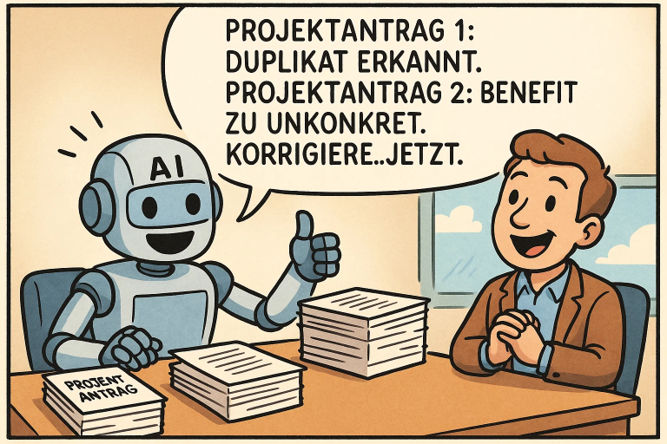
An Observe agent has read-only access to defined data and answers only the person who asked — “which initiatives slipped this month, and why?” An Advise agent goes one step further and produces drafts and recommendations, but a human still executes.
This is not theoretical. Microsoft’s Planner Agent is generally available in Microsoft 365 Copilot, and its first skills for basic plans are status report generation and task execution. A status report the agent writes and a person sends is a textbook Level 2 agent, and it is already running in a lot of tenants.
The risk at this level is not data loss but automation bias: a fluent, plausible draft anchors the reader’s judgement before they have checked it. So the controls are output accuracy checks and honest training on how much to rely on the thing — not a lockdown. The practical PMO consequence is to decide which portfolio fields an agent may read long before you argue about what it may write. On the Microsoft side that means Dataverse table permissions and Power Platform environment scoping; on the Atlassian side, project-level permissions rather than a blanket admin token.
Level 3: the agent that changes the plan
At Act with Approval, the agent writes data, sends communications or changes configuration — but only after a human approves each action. In portfolio terms: rebaselining a schedule, reassigning a resource, closing a risk.
Gartner’s warning here is the one PMOs tend to underestimate. Human review only works while it stays a meaningful control. Under time pressure, approvals degrade into clicking “yes” — which produces a false sense of safety while the attack surface grows. The design job is therefore to keep the number of approvals small enough that they are actually read: batch the trivial ones, and route only material changes to a named person with an audit trail behind it.
Level 4: reserve autonomy for hygiene, not decisions
An Act Autonomously agent works inside guardrails while humans review exceptions and audit logs rather than individual decisions. That demands continuous monitoring, enforced guardrails, rollback, circuit breakers that stop the agent on a threshold violation, and a named owner for its behaviour.
For a PMO, that is the right level for portfolio hygiene — closing stale items, chasing missing timesheets, normalising metadata across projects — and the wrong level for prioritisation or budget release. Accountability for a portfolio decision stays with a person no matter who drafted it.
Which control belongs at which level
| Autonomy level | Typical PMO example | What the PMO must control |
|---|
| 1 — Observe | Answering “which projects slipped?” from live data | Scoped read access, authentication, usage logging |
| 2 — Advise | Drafted status report or risk summary | Output accuracy, reliance training, hallucination testing |
| 3 — Act with approval | Rebaselining, resource reassignment | Approval workflow with audit trail, incident response |
| 4 — Act autonomously | Portfolio hygiene, reminders, metadata cleanup | Guardrails, monitoring, rollback, circuit breakers, ownership |
If you want the wider picture of what AI is doing across planning, resourcing and reporting, start with our overview of project management with artificial intelligence from Microsoft and Atlassian in the PMO.
How Holert helps you classify and govern PMO agents
Writing the classification down is the easy half. Enforcing it is where most PMOs stall, because the controls do not live in the PMO — they live in Power Platform environments and Dataverse security roles on the Microsoft side, and in project permissions and app scopes on the Atlassian side. Without someone who can set them, an autonomy model stays a slide.
Holert has been implementing and optimising project and portfolio management for PMOs and VMOs for over 25 years, working on proven standards such as PMI and SAFe with Microsoft and Atlassian technology, including Altus PPM on Dataverse and Projectum xPM. We have done this with organisations such as KUKA, Rohde & Schwarz and Amer Sports — you can read what they say on our PMO customer references. If you want to see how that translates into an agent governance model for your own portfolio, the PMO AI Power Day is the shortest route.
Frequently asked questions
Do we need a separate policy for AI agents, or does existing IT governance cover it? Existing policy usually covers data access but not the ability to act. Add an autonomy classification on top of what you have, rather than writing a parallel rulebook.
Which PMO task should be automated first? Status consolidation. It is high effort, low judgement, and it sits safely at Level 2 where a human still sends the result.
What is the difference between an AI assistant and an AI agent? An assistant responds to a request. An agent performs a multi-step task towards a goal and can call other tools to get there — which is exactly why the autonomy level matters.
Can we start without Microsoft 365 Copilot licences? You can classify your agents and scope your data access immediately, and that work stays valid. Planner Agent capabilities themselves require a Microsoft 365 Copilot licence.
Start with one day
You do not need a governance programme to make progress. In the PMO AI Power Day we go through your current PMO processes, classify where agents already act and at what level, and build one governed automation on your existing Microsoft 365 or Atlassian stack — working by the end of the day. No programming skills required.
Book your PMO AI Power Day and decide what your agents may do before an incident decides it for you.
 Renke Holert

 Renke Holert : Jun 7, 2026, 12:23:43 PM