Sync Microsoft Project with Planner
Project2Planner is an add-in for Microsoft Project desktop. It creates Planner tasks from the tasks you select and brings your team's progress back into the project plan once you have reviewed it.

Step 1: Hand over tasks
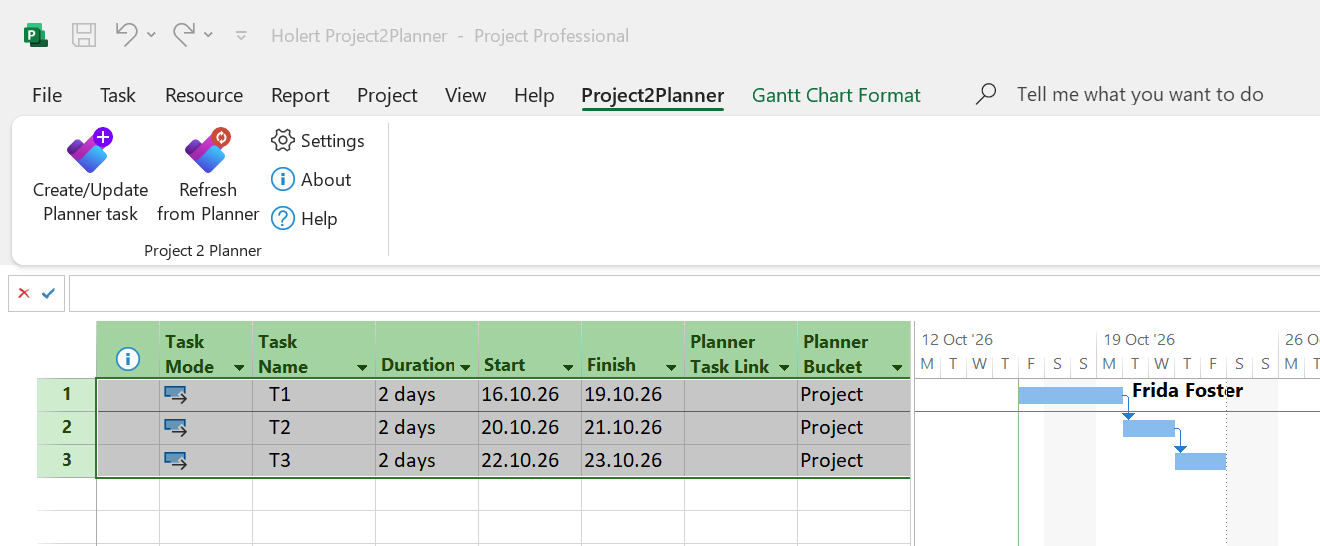
- Select the tasks in Microsoft Project and click "Create/Update Planner task".
- Project2Planner creates them as Planner tasks with dates, notes, priority and assignee.
- Set buckets per project or per task; missing buckets are created automatically.
Step 2: Your team works in Planner
- Your team works on the tasks in Planner, in Teams or in the mobile app.
- The team keeps notes, checklists and status where it already works.
- One project plan can feed several Planner plans, for example one per team.

Step 3: Accept progress
- With "Refresh from Planner" you see the changes before you apply them.
- If Planner reports different progress than the plan, the add-in warns you before overwriting it.
- Dependencies and resource planning stay in Microsoft Project.
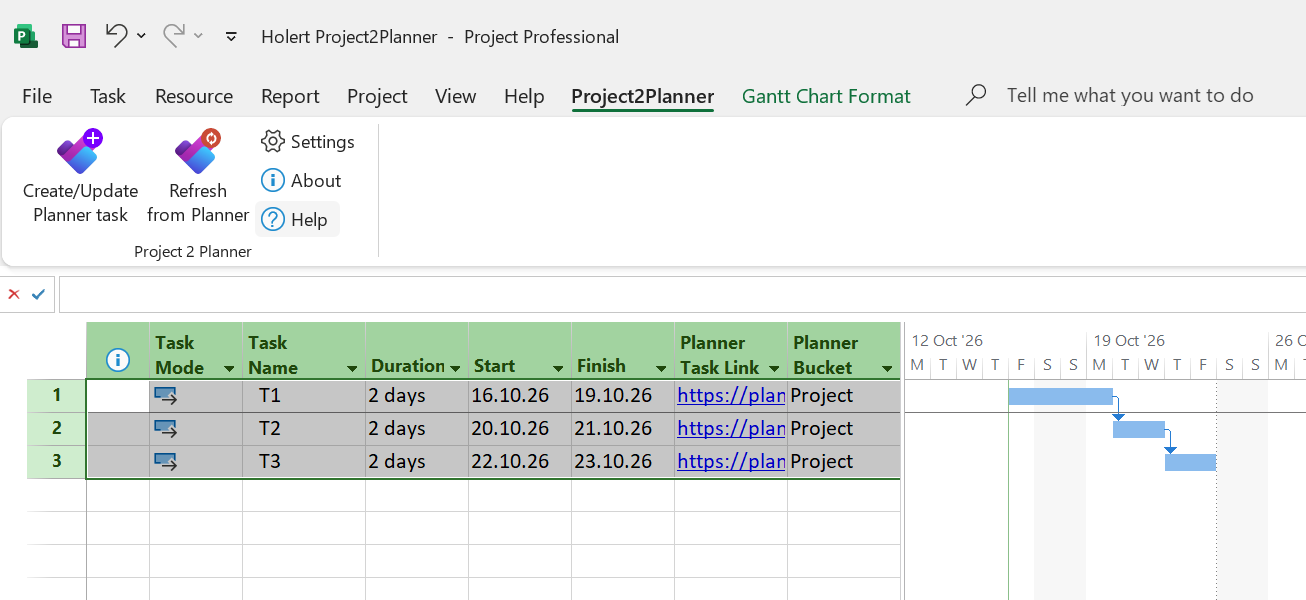

Synchronised
What is transferred
From Project to Planner: name, notes, dates, priority, assignee and links. Back to Project: progress, after your approval.

Licensed
For the project manager only
EUR 228 per year per Microsoft Project user, excl. VAT, volume prices from 5 licences. Team members in Planner need no licence.
Secure
All data in your Microsoft environment
Project content stays on the user's computer and in your Microsoft 365 tenant. Three delegated Graph permissions, admin consent only where required.