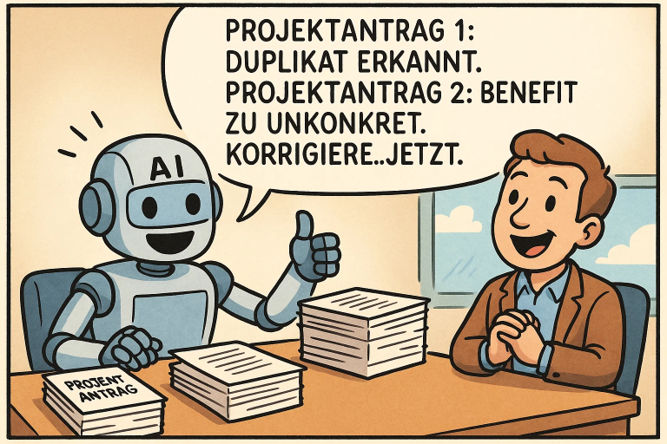
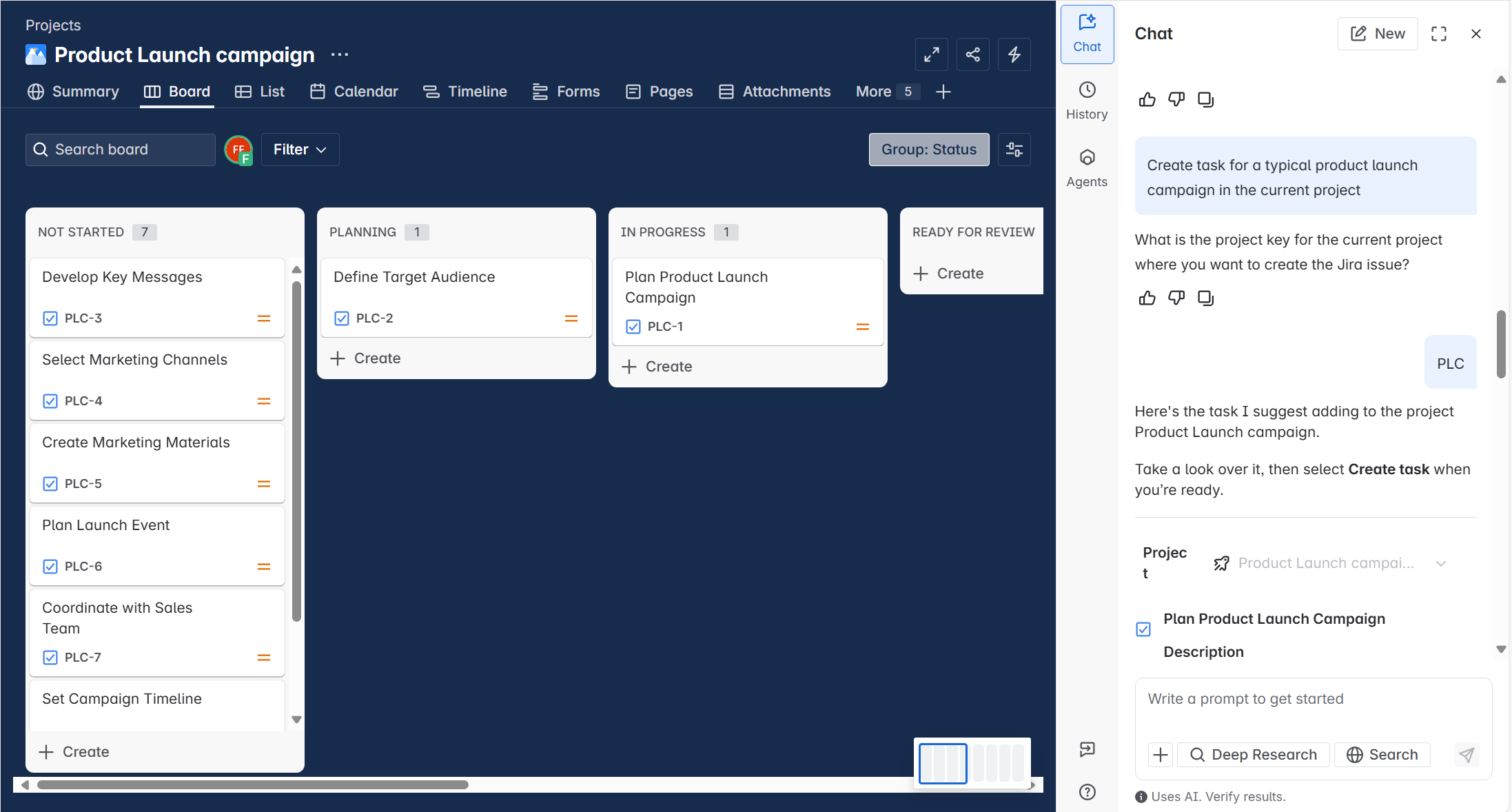
At Build 2026, Microsoft unveiled Scout, its first “autopilot” agent: not a chat helper waiting for prompts, but an autonomous agent that runs continuously, observes your work context and acts on its own. For project managers and PMOs, that shifts a boundary: status reporting, risk detection and meeting preparation can now happen in the background. It only becomes decisive, however, where Scout reaches beyond Microsoft 365 – into your PPM platform, your ERP and your HR system. This article shows what Scout actually takes off a PMO's plate, how it connects to Altus PPM, Projectum xPM, BigPicture, SAP, Business Central and Personio, and what that means for governance and operating model.
TL;DR – Microsoft Scout in the PMO at a glance
- What it is: Microsoft's first autopilot agent – a desktop app for Windows and macOS that works autonomously in the background instead of waiting for a prompt. Since 25 September 2026 Microsoft has been calling it Microsoft Autopilot.
- Availability: as of October 2026 preview only – the desktop edition through the Microsoft Frontier program, the cloud-hosted Autopilot edition in private preview since the end of September 2026. No GA date is confirmed.
- Licenses: for the desktop edition, Microsoft 365 Copilot plus GitHub Copilot Business or Enterprise – it consumes GitHub Copilot credits, not Microsoft 365 Copilot credits. Autopilot is assigned to usage-based billing; the license prerequisite and the price per task have not been published.
- Value in the PMO: status reporting, chasing contributions, meeting preparation, risk detection and RAID maintenance run in the background and come back as drafts for approval.
- The real leverage: via MCP servers the agent reaches Altus PPM, Projectum xPM, BigPicture, SAP, Business Central and Personio – only then does the report rest on complete data.
What is Microsoft Scout – and why should a PMO pay attention now?
Microsoft unveiled Scout on 2 June 2026 – as the first representative of a new agent category Microsoft calls “autopilots”. The difference from everything that previously ran under the Copilot label is fundamental: Scout is not an assistant you address inside an app, but a standalone agent with its own identity in Microsoft Entra ID that runs in the background – even when you are offline, in a meeting or on holiday.
Since 25 September 2026 Microsoft has been running this agent under a new name: “Autopilot, previously called Scout”, as the announcement of the new Copilot with Home, Code and Autopilot puts it. The name comes with a change of form factor: Microsoft Autopilot is cloud-hosted and lives in your own Microsoft 365 tenant – with its own identity, memory, computer and workspace. You address it where work already happens: by @mentioning it in Teams, Outlook, chats, channels and documents, like a colleague. You give it a name, a role and a goal.
Both lines currently exist side by side, and anyone assessing Scout today should know that. The desktop edition described in this article is the one Microsoft Learn documents and the one shipped through the Frontier program – with access to local files, shell, browser and local MCP servers. Whether and how the cloud-hosted Autopilot edition reaches those local layers is something Microsoft has not yet documented. For a PMO that is the decisive open question, because it is exactly those layers that the PPM, ERP and HR connections described further down depend on.
Technically, Scout is a desktop application for Windows and macOS, built on the open-source OpenClaw technology and the GitHub Copilot SDK. You interact with Scout in the chat of its desktop app; from there it reaches into the browser, local files, the operating-system shell and Model Context Protocol (MCP) servers. Teams is not the interface but one of the connected sources: Scout reads chats and channels and, once you approve, posts there too. The new Work IQ intelligence layer supplies the work context from Outlook, Teams, OneDrive and SharePoint (Microsoft Learn: Scout overview).
For a project management office, that is exactly the decisive shift. A large part of PMO work consists not of decisions but of coordination: collecting status, following up, documenting, escalating. It is precisely the kind of work an autonomously running agent can reliably take on – within governance boundaries the organisation controls.
Scout vs. Copilot vs. Copilot Cowork: the difference
Microsoft 365 Copilot is a prompt-based assistant within individual apps – Word, Outlook, Teams, Excel. It helps you draft, summarise and analyse, but only when you address it. Close the app and it stops working. Copilot Cowork, which we covered in a separate article, goes a step further: it delegates entire, multi-step work packages to an agent that plans and executes autonomously over minutes or hours – but you still trigger the task.
Scout differs from both in three respects. First, autonomy: Scout starts tasks itself – based on schedules, triggers or its continuous observation of your work signals. Second, persistence: the work continues while you are busy with something else. Third, cross-device and cross-system action: local files, browser, shell and cloud are brought together in one runtime. Microsoft itself clearly distinguishes Scout from Copilot Chat in the official FAQ: Copilot Chat is cloud-based and meant for fast single tasks, while Scout is a local desktop application for multi-step workflows and autonomous background tasks.
Put simply: Copilot helps the individual do better work. Scout makes sure work gets done autonomously. If you want to go deeper into AI-driven tool operation, our article on VIBE project management is a fitting complement – there you control PM tools by voice command, whereas here the agent takes the initiative.
What Scout actually takes off a PMO's plate
Scout shines wherever PMO work today consists of recurring coordination – exactly the tasks that are annoying to do by hand and easy to automate. The following cases are ordered by routine burden.
1. Status reporting and management communication
Status reporting is the most time-intensive recurring activity in many PMOs – and one of the most thankless, because it starts from scratch every week. Scout drafts complete status reports by consolidating data across multiple sources: task and milestone statuses, issues and blockers from Teams and email, budget and resource signals from files in OneDrive or SharePoint, and decisions made and open from meeting notes. When delivery data lives in several tools, Scout consolidates them into a single report – the manual copy-and-paste consolidation disappears. The outcome: five minutes of human review instead of several hours of legwork.
2. Collecting status updates and following up
Probably the most annoying PMO routine: chasing people for status updates. Scout takes over the follow-up – it spots outstanding contributions, reminds the owners via Teams or email (according to your rules), collects the answers and reports what is still missing. Instead of phoning twelve project managers manually on Thursday, the PMO lead gets a consolidated status – including a list of who has not delivered yet. Sensitive messages only go out after your approval.
3. Automated meeting preparation and follow-up
Meeting preparation is one of the most time-consuming yet low-leverage activities in day-to-day project work. Scout can generate pre-reads autonomously by searching relevant emails, Teams conversations and documents ahead of the meeting, compile status briefings, and after the meeting draft follow-up emails and minutes and create action items as tasks. It can draw on the Teams meeting transcript itself and book a suitable meeting room. For a PMO running a weekly programme review, that means in concrete terms: on Saturday morning Scout pulls the current task statuses, reviews the week's Teams discussions and drafts a structured agenda including RAG status – ready for approval on Monday.
4. Proactive risk and blocker detection
Perhaps the most compelling PMO use case: Scout detects risks before they escalate. Through Work IQ's inference, it connects cues from emails, meeting notes, Teams threads and calendar patterns. If an important decision has been sitting unanswered in the inbox for five days, Scout can flag it as a stall risk. If a milestone is due and the associated Teams channel has gone quiet, Scout points to a possible dependency problem. This is qualitatively different from rule-based alerts in a project tool – risks are detected from the real communication signals, exactly where they arise, long before they show up in a RAID log.
5. RAID log maintenance and escalation
RAID logs (Risks, Assumptions, Issues, Dependencies) notoriously go stale because maintaining them is a manual, easily deferred task. Scout reverses this logic: a new risk from a Teams message can be written into the SharePoint RAID list, an issue unresolved for days triggers an escalation draft, and disproven assumptions are flagged for review. With an automation that checks the RAID list weekly and scans the previous week's communication for unlogged items, the log stays considerably more current than with classic processes.
6. Scheduling across time zones and focus time
For globally or multi-site PMOs, coordinating meetings across time zones is a constant source of friction. Scout checks the availability of all invitees via the Microsoft 365 calendars, respects out-of-office and tentative entries, resolves names via the directory and suggests optimal slots. The difference lies in proactivity: instead of waiting for “when does it suit everyone?”, a Heartbeat watches the two-week calendar, recognises meetings that need scheduling and drafts the invitation – you only have to approve.
7. Project kickoff and document creation
Through its built-in Word, Excel and PowerPoint capabilities, Scout orchestrates the creation of kickoff artefacts: project charters or business requirement documents from a briefing, AI-prefilled risk registers, RACI matrices from the stakeholder list, kickoff decks, dependency diagrams and schedules. For a PMO with a standardised project intake, this compresses days of template-filling into minutes – the templates are defined once as custom skills, and Scout runs them for every new project.
| PMO task |
Today |
With Scout |
| Weekly status report |
1–3 hours manual |
Draft in ~5 min review |
| Collecting status updates / follow-up |
Constant manual chasing |
Automatic reminders + consolidated status |
| Meeting prep & minutes |
30–60 min per meeting |
Autonomous, before/after the meeting – incl. transcript and room booking |
| Risk detection |
Periodic manual review |
Continuous, from communication signals |
| RAID log maintenance |
Ad hoc, often outdated |
Weekly reconciliation directly in the SharePoint list |
| Scheduling (time zones) |
Several email rounds |
Autonomous availability check + invitation draft |
| Cross-tool report |
Manual consolidation from Jira + M365 / PPM (Altus, xPM) |
Merged on demand |
| Kickoff artefacts |
Days of template-filling |
Minutes via skill generation |
Scout on your business systems: PPM, ERP and HR via local MCPs
All of these use cases share one limit: they live off what sits in Microsoft 365. The truth about a project is rarely complete there. The plan lives in the PPM platform, the actual costs in the ERP, the real availability of people in the HR system. As long as the agent cannot reach those systems, it writes very good reports on half the data.
This is exactly the gap closed by the local MCP servers Holert offers for the common business systems. They run locally on the machine the agent works on, and make Altus PPM, Projectum xPM and BigPicture as addressable as SAP, Microsoft Dynamics 365 Business Central and Personio. For the agent these are no longer foreign worlds but sources like Outlook or SharePoint – queryable in plain language, without anyone building a report or exporting data.
PPM: the portfolio report that writes itself
With access to Altus PPM or Projectum xPM, the break between project data and communication disappears. The agent pulls milestones, effort figures and risks straight from the platform, reconciles them against the week's discussions and drafts the portfolio report from that – including the projects whose traffic light should have changed colour long ago. Ahead of a stage gate it checks which approval criteria are still open and puts the list in front of the project manager before the board convenes. BigPicture adds the programme layer: utilisation across multiple boxes, dependencies between teams, and the question of which delay hits which critical path.
ERP: budget answers without waiting for month-end close
The most frequently unanswerable question in a steering committee is: will the budget last? It can only be answered if, alongside booked actuals, open purchase orders and commitments are known too – and those sit in SAP, not in the project plan. The SAP connection closes that gap: the agent compares plan, actuals and commitments per project and states the variance in the status report, instead of it surfacing four weeks later in a controlling report. Organisations on Business Central additionally get the commercial flip side of project business: compiling billable work, putting the invoice draft up for approval, pulling open items per customer project into the portfolio report and making the margin per project visible.
HR: the capacity that actually exists
Resource planning rarely fails because of the tool. It fails on the assumption that a person is available one hundred percent of the time. Through Personio, the agent works with the real picture: holidays, parental leave, part-time arrangements, joiners and leavers. The question “can we start the project in October?” gets a defensible answer instead of an estimate – and the critical weeks in which half a team is on holiday at once surface before the commitment is made.
| Question from PMO practice |
Systems involved |
What the agent delivers |
| “How do my 40 projects stand today?” |
Altus PPM, Projectum xPM |
Portfolio report with traffic lights, overdue milestones and the projects that need a decision |
| “Will the budget last until year-end?” |
SAP, PPM platform |
Remaining budget including open purchase orders and commitments, not just booked actuals |
| “Can we start in October?” |
Personio, BigPicture |
Available capacity after deducting holidays, part-time and existing commitments |
| “Why is the programme slipping?” |
BigPicture, Jira |
Dependencies and critical path across all teams, with the specific causes |
| “What can we invoice this month?” |
Business Central, PPM platform |
Billable work per project and an invoice draft for approval |
| “Where are we losing margin?” |
Business Central, SAP, PPM platform |
Plan-versus-actual per project with the line items running out of control |
Three things matter here. First, the human remains the final authority: read queries run through, while write actions – creating a risk, drafting an invoice, committing a resource – are put up for approval. Second, no MCP server widens rights: the agent sees exactly what the user account is allowed to see in that system anyway. Third, these servers run locally – the connection to your business systems is made on the user's machine, not through an intermediary at our end. We provide the local MCPs as part of the PMO AI Power Day – where we set them up and try the use cases on your real project data.
How Scout works: Work IQ, Heartbeat, Automations and Skills
Four building blocks are particularly relevant for PMO scenarios. Work IQ is the intelligence layer that continuously takes in signals from emails, calendar, Teams chats, documents and OneDrive activity. Over time, a model emerges of how work flows in your organisation: who the key stakeholders are, which projects are active and where things are stalling. This is exactly what allows Scout to detect risks without having been assigned a specific field in the project plan beforehand.
Since the end of September 2026, that layer reaches beyond Microsoft 365. Microsoft has announced Work IQ for business applications – in preview from 30 September 2026, with rollout continuing through October. Work IQ then also models data from Dynamics 365 and the Power Platform: a semantic model captures what a record means and how records relate, business skills describe recurring procedures such as approval criteria once instead of per agent, and governed actions write back into the source systems within the user's permissions. For PMOs this matters for one concrete reason: Altus PPM and Projectum xPM are built on Dataverse. Part of what today takes the detour through an MCP server may in time sit natively in the agent's context. Which environments participate is decided by Power Platform administration; for SAP, Personio and BigPicture the MCP route remains the only one.
The Heartbeat is a recurring prompt that runs during configured working hours at selectable intervals (15 minutes to 2 hours) and checks, for example, inbox priorities, calendar changes or blocked tasks. Automations are scheduled or condition-driven tasks – for instance: create a status draft every Monday at 8 a.m., or: as soon as a high-priority email arrives, summarise and flag the thread. They now also support monthly, quarterly and ordinal recurrences such as “the last Friday of every month”, which matches the PMO cadence of monthly reports, quarterly reviews and stage gates far better than weekly-only schedules. Background modes run under their own, more restrictive permission policy.
With Custom Skills – Markdown files (SKILL.md) with a description and instructions – you encode PMO playbooks: your reporting templates, governance standards and reporting cadences. Scout discovers matching skills automatically at the start of each conversation and invokes them when the context fits. It can also delegate work to sub-agents that run in parallel in the background and report back – relevant when a PMO needs several projects evaluated at once.
Skills that ship from install include (overview on Microsoft Learn):
- docx, xlsx, pptx – create and edit Word reports, Excel models including formulas and charts, and PowerPoint decks from a single prompt.
- Web Artifacts Builder – builds interactive HTML dashboards and visualisations: portfolio overviews, status trackers, what-if comparisons. One file, no build step.
- Loop – drives Microsoft Loop via browser automation; the human always gives the final sign-off.
There is also Co-Create: you and the agent edit the same file at the same time, with the changes merged automatically. The editors cover Markdown, source code, structured data and HTML; the workspace sits locally or in OneDrive or SharePoint. For a PMO this is the practical way to finish a status report or risk register drafted by the agent together, instead of passing file versions back and forth.
Which systems does Scout reach?
Microsoft describes four access layers. First, Microsoft 365: email and calendar in Outlook, Teams chats, OneDrive files, meetings including transcripts and room booking, SharePoint Lists, Outlook rules and the organisational directory – through direct API tools, complemented by Work IQ for questions that span several services at once. Second, the local device: files in the defined workspace directory and the operating-system shell, both through tiered permissions and with the option to mark individual directories as sensitive (Microsoft Learn: Use Microsoft Scout).
Third, the browser. Scout operates practically any web interface: navigating, filling forms, extracting content, uploading files. This is the universal route – a line-of-business system without an interface is reached through its front end, exactly as a person would. The price is brittleness: any change to the interface can break the flow. It works for research and occasional data transfers, not as a load-bearing integration.
Fourth – and for third-party systems the genuinely clean route – the Model Context Protocol (MCP). Through MCP servers, Scout connects systems in a structured way rather than clicking through them; such servers can run locally or be added as remote servers with securely stored credentials. This is exactly what the PPM, ERP and HR connections described above are built on. There is currently no officially documented catalogue of available MCP servers for Scout – what is reachable depends on which servers your organisation provides and approves.
Governance, security and compliance
Autonomous agents only pay off if the governance holds. Scout is built tight against the Microsoft 365 security boundaries. Every agent runs under its own governed Entra identity – not an anonymous shared service account – so each action is attributable to a known actor. The associated credentials are scoped to the task at hand and redacted from logs and diagnostics.
At the execution layer, several safeguards apply: Microsoft Purview (sensitivity labels and data loss prevention) is enforced in real time before anything is sent or written; sensitive actions can require human sign-off. Shell commands run through a three-tier permission system (auto-approve, prompt, block); destructive commands are blocked by default. Directories can be marked “sensitive”, and the RestrictToWorkspace ADMX policy keeps Scout confined to the defined workspace. External content is treated as “untrusted” – as data, not instructions – which makes prompt injection harder. Browser automation is restricted by default, and admins can govern allowed domains via an egress policy.
Two boundaries do leave the familiar Microsoft 365 frame, however, and a PMO should know both. Language-model processing runs through GitHub Copilot: content can leave Microsoft 365, and commitments such as data residency, retention policies, sensitivity label enforcement and eDiscovery do not apply to that processing – which is precisely why Microsoft requires an admin attestation. And: automation instructions as well as MCP output are stored locally on the endpoint, are not covered by the Microsoft 365 data protection addendum and are therefore subject to your endpoint management (Microsoft Learn: Responsible AI FAQ). Approving an MCP server is therefore not a tooling decision but a data protection decision – particularly where personal data is involved, such as absence data from the HR system.
Licensing and availability
The desktop edition described in this article is, as of October 2026, still available exclusively via the Microsoft Frontier program – Microsoft's programme for early access to innovations ahead of broad market launch. It is currently an experimental preview; Microsoft has not announced an officially confirmed general availability (GA) date – features may still change. The same applies to the cloud-hosted Autopilot edition: it has been in private preview since the end of September 2026, with no public sign-up and no GA date. The version offered in the Download Center is still the 0.23.578 release published on 30 July 2026, which mainly deepened Microsoft 365 access, redesigned the permissions experience and added finer-grained automation schedules. Development has not stopped there: Microsoft documents a further feature release for August 2026, adding GitHub Enterprise Cloud sign-in, Teams meeting transcripts and room booking, SharePoint Lists, Outlook inbox rules, file sharing including access management, and Co-Create workspaces backed by OneDrive and SharePoint. Anyone assessing Scout should therefore go by the documentation rather than by the installer's version number. Access requires Frontier activation, an Intune policy configuration and an opt-in attestation. Two licenses are needed: an active Microsoft 365 Copilot license for the user account plus a GitHub Copilot license (Business or Enterprise) for signing in to the desktop app (Microsoft Learn: Get started). An assigned GitHub Copilot seat alone is not enough: if the GitHub Copilot app policy is disabled at enterprise or organisation level, sign-in stays blocked despite a valid license – during rollout this is regularly misread as a licensing problem (Microsoft Learn: Admin access overview).
Important for budgeting: Scout consumes GitHub Copilot credits from a GitHub Copilot Business or Enterprise subscription – not Microsoft 365 Copilot credits. Every task, heartbeat run and automation draws on this separate allowance, which is an additional cost on top of existing M365 Copilot licenses. For Autopilot that model does not carry over unchanged: Microsoft explicitly assigns the new agentic capabilities – Cowork, Code and Autopilot – to usage-based billing, where consumption and model choice determine the price. Which license is required and what a task costs has not been published – for budget planning that is currently the biggest open item. The overarching suite tier is Microsoft 365 E7 (Frontier Suite) – generally available since 1 May 2026 – bundling M365 E5, Microsoft 365 Copilot, Agent 365 and the Entra Suite. If you are facing the question of modernising your PPM foundation – for example with Altus PPM or Projectum xPM – anyway, consider it in the context of the end of support for Microsoft Project Online.
New operating models: VMO, headless PMO and Agent PMO
When Scout takes over the coordinative substructure, capacity is freed up in the PMO – and three terms emerge that describe the future operating model.
From PMO to VMO: from output to value
A classic PMO optimises output: on-time, on-budget delivery. A Value Management Office optimises outcome: actual value realisation, that is, whether a project achieves the strategic goal it was meant to (SAFe: Value Management Office). As long as PMO staff fill their week with reporting and scheduling juggling, there is little time for value steering. If an agent takes on the recurring coordination, the office can concentrate on value questions. Scout is therefore not just an efficiency lever but a role lever: it makes the PMO-to-VMO transition practically affordable, because it removes the routine load that had been blocking it.
Headless and frontier: how and by whom the function is operated
The headless PMO/VMO applies the “headless” principle known from software architecture to the office: the function is decoupled from the central body and embedded as a service directly into the flow of work. Instead of project managers delivering reports to a central office, governance runs where the work happens. “Headless” does not mean “without steering” but without a central bottleneck: the methodology stays, the manual intermediary layer disappears. The frontier PMO/VMO locates this variant within the organisational model of the “Frontier Firm”: a company operated by human-agent teams and led by humans. In short: headless describes how the function is delivered, frontier describes who operates it.
The Agent PMO: a new governance role
As soon as organisations deploy multiple agents – not only Scout, but also domain-specific agents from Copilot Studio – someone is needed to manage their lifecycle, prioritise new agent requests, administer access rights and measure the value contribution. That is exactly the classic governance mandate of the PMO, applied to AI agents. An Agent PMO owns intake and prioritisation, AI risk review, lifecycle management, standards and templates – skill libraries, automation patterns, MCP inventory – as well as measurement and reporting. A key steering tool for this is Microsoft Agent 365, a unified control plane through which IT, security and business teams observe, govern and secure agents across the organisation.
What PMOs should do now
Three things are worthwhile today, even without productive Scout access. First: review governance maturity. Scout presupposes cleanly configured Entra ID, Intune and Purview – if you have gaps here, lay that foundation before autonomous agents come into play. Second: identify playbooks. Which recurring processes – status reporting, RAID maintenance, kickoff – are suitable for handover to an agent? Describing these processes cleanly now is the groundwork for later custom skills. Third: build an MCP inventory. Which business systems – PPM platform, ERP, HR, Jira – does the agent need to reach for its reports to be defensible, who approves them, and which data leaves the Microsoft 365 boundary in the process?
One thing remains decisive: the quality of Scout's output is directly proportional to the quality of the skills, automations and data connections you configure. And Scout does not replace a PPM platform such as Altus PPM or Projectum xPM – it automates the work with it. As a complement, it is worth looking at project controlling with Microsoft Power BI to make the value of autonomous agents measurable.
Frequently asked questions about Microsoft Scout in the PMO
What is Microsoft Scout?
Scout is Microsoft's first “autopilot” agent: a desktop app for Windows and macOS that acts autonomously in the background across files, shell, browser and Microsoft 365 – built on OpenClaw and the Work IQ intelligence layer. You interact with it in the chat of the desktop app; Teams is one of the connected sources, not the interface. Since 25 September 2026 Microsoft has been running the agent as Microsoft Autopilot; that edition is cloud-hosted in your own Microsoft 365 tenant and is addressed by @mentioning it in Teams and Outlook.
Is Microsoft Scout now called Microsoft Autopilot?
Yes. Since the announcement of the new Copilot on 25 September 2026, Microsoft has been running the agent as Microsoft Autopilot – in Microsoft's own words, “Autopilot, previously called Scout”. The name comes with a change of form factor: Autopilot is cloud-hosted and lives in your own Microsoft 365 tenant, with its own identity, memory, computer and workspace. The Scout desktop app documented on Microsoft Learn is still shipped through the Frontier program; both lines currently exist side by side.
How is Scout different from Microsoft 365 Copilot?
Copilot is a prompt-based assistant inside individual apps and only works when addressed. Scout starts tasks itself, runs persistently in the background and acts across devices and systems – including local shell and browser automation.
Can Scout also operate PPM, ERP and HR systems?
Yes, through MCP servers. Holert offers local MCPs for this – for Altus PPM, Projectum xPM, BigPicture, SAP, Microsoft Dynamics 365 Business Central and Personio, among others. This allows project data, actual costs and availability to be merged into a single report. Write actions are put up for approval, and the agent never receives more rights than the user account already holds in that system.
Which systems can Scout access?
Four layers. In Microsoft 365: Outlook mail and calendar, Teams chats, OneDrive files, meetings including transcripts, SharePoint Lists and the organisational directory, plus Microsoft Loop through browser automation. On the local device: files in the workspace directory and the operating-system shell. Via the browser: practically any web interface, including systems without an API. And via MCP servers, the business systems – with the local Holert MCPs, for example Altus PPM, Projectum xPM, BigPicture, SAP, Microsoft Dynamics 365 Business Central and Personio, plus Jira and Confluence through the Atlassian Rovo MCP Server.
What is a headless or frontier PMO/VMO?
A headless PMO/VMO embeds the governance and value-steering function directly into the flow of work, agent-driven and without a central bottleneck. A frontier PMO/VMO operates that model as a human-agent team inside a “Frontier Firm” – human-led, agent-operated.
What does Scout cost and when is it available?
As of October 2026 Scout is available only through the Frontier program as a preview; a GA date is not officially confirmed. The desktop edition requires Frontier activation, Intune configuration, attestation plus a Microsoft 365 Copilot license and a GitHub Copilot license; it consumes GitHub Copilot credits, not Microsoft 365 Copilot credits. The cloud-hosted edition, known as Microsoft Autopilot since 25 September 2026, has been in private preview since the end of September and is billed on usage; the license prerequisite and the price per task have not been published.
Conclusion: those who prepare now win later
Microsoft Scout marks a genuine architectural shift: away from prompt-based help and towards continuous, context-aware, autonomous execution. The immediate high-value cases for PMOs are status reporting, collecting status updates and meeting preparation. The real leverage, however, only appears once the agent reaches beyond Microsoft 365: a status report that merges the project plan, actual costs and availability is something different from a well-written summary of emails. That is exactly why the connections to PPM, ERP and HR are the decisive building block. The Frontier status means this is not yet a mass rollout. But PMO leads who start now to build skill libraries, automation patterns and a clean MCP inventory will have a clear advantage by the time general availability arrives.
What Holert delivers around autonomous agents for your PMO
Between what Scout can technically do and what a PMO gets out of it lies work no agent takes on. A defensible status report only emerges once the reporting cadence is defined, the traffic-light logic agreed, the PPM platform properly maintained and the decision made about which business systems the agent may read at all. Without that foundation it produces well-written summaries with no substance – and the organisation is right not to trust them.
That is where we come in: for more than 25 years Holert has been implementing and optimising project, programme and portfolio management solutions for PMOs and VMOs – methodologically on PMI and SAFe, technically on Microsoft and Atlassian, with Altus PPM, Projectum xPM, Microsoft Planner and Project, and Jira. For agent operations that means in concrete terms: reviewing governance maturity, describing reporting playbooks as custom skills, building the MCP inventory and setting up the local MCP servers for your PPM, ERP and HR systems. What that looks like in practice is shown by our projects at Rohde & Schwarz, KUKA, LAPP and Amer Sports – documented in our PMO and project management customer references. The practical starting point is the PMO AI Power Day, where we try the connections on your real project data.
Want to prepare your PMO for the AI era in practice and try out Scout, Copilot Cowork & co. on your own systems? Then the PMO AI Power Day by Holert is the right starting point:
 Renke Holert

 Renke Holert : Aug 15, 2026, 1:17:47 PM