For years, the CoE Starter Kit was the Swiss Army knife of Power Platform governance. Microsoft is now building these capabilities natively into the Power Platform Admin Center – and the June 2026 feature update raises the bar further with connector governance and AI guardrails. We break down the migration and show why this isn't just an admin topic, but something that directly affects your project work and your project & portfolio management (PPM).
Key takeaways
- The CoE Starter Kit is no longer developed; its core capabilities are available natively in the Power Platform Admin Center – in the Inventory, Usage, Monitor and Actions experiences.
- Advanced Connector Policies (generally available since June 2026) control individual connector actions and MCP servers; BYO MCP and MCP certification govern which tools agents may use in the first place.
- Microsoft Entra Agent ID for Dataverse (public preview since 6 August 2026) gives every agent its own identity with a narrowly scoped security role.
- Centralized authentication policies for agents (public preview since 31 May 2026) and the Agentic CoE were announced for September 2026 in the release plan; as of 1 October 2026, Microsoft still lists the authentication policy as preview.
- Since September 2026, a Copilot Studio agent's connector permissions are visible as API permissions on its Entra Agent ID and can be targeted with Conditional Access – for now only for agents running in Microsoft Teams.
- PPM solutions such as Altus PPM and Projectum xPM run as model-driven apps on Dataverse and inherit this governance once they run in a Managed Environment.
The CoE Starter Kit has had its day – governance becomes a product
The Center of Excellence (CoE) Starter Kit was never an official product, but a collection of apps, flows and Power BI dashboards that each organization had to install, run and keep up to date itself. That is exactly what's changing now: Microsoft no longer actively maintains the kit – there are no new features and no bug fixes anymore, and reported issues are no longer addressed either. Instead, Microsoft is moving the core capabilities directly into the Power Platform Admin Center (PPAC) as native in-product experiences.
For platform owners, that's good news: governance stops being a self-built side project and becomes a maintained, supported platform capability. Anyone still running the CoE Starter Kit in production today should set up a migration plan towards PPAC soon – the kit keeps working, but without further development it is heading for a technical dead end.
The four native governance experiences in the Admin Center
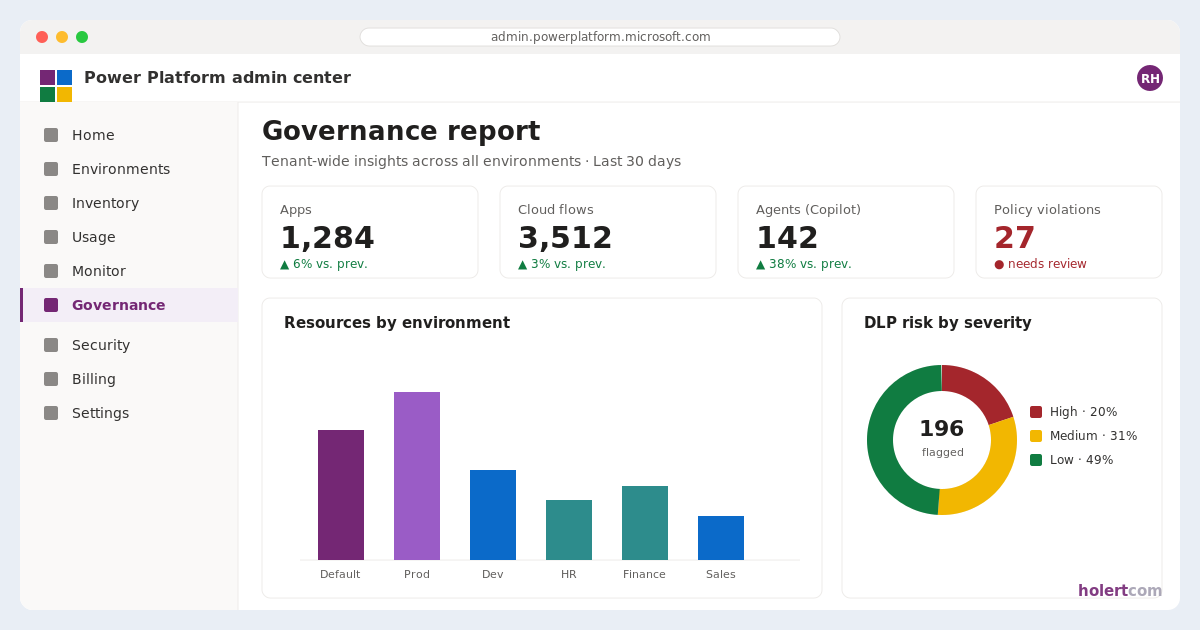
The former CoE core tasks are now found in four areas of the Admin Center:
Inventory – a tenant-wide overview of all apps, flows and agents. The Inventory experience has replaced the old CoE inventory flows and shows canvas, model-driven, code and vibe apps, cloud flows as well as agents from Copilot Studio and the Microsoft 365 Copilot Agent Builder – including owners and the connectors used.
Usage – adoption data to identify top resources and their owners. Monitor – the operational health of heavily used resources. Actions – a central place to identify risks, enforce best practices and trigger governance measures.
Important for your permissions planning: these experiences require a tenant-wide Entra role. Global Administrator, Power Platform Administrator, Dynamics 365 Administrator and Global Reader see the full estate; the AI Administrator and AI Reader roles are scoped to AI-related resources only. The role-based Power Platform roles (RBAC) aren't sufficient here, and plain environment admins or end users won't see the experiences at all.
At a glance:
| Aspect | CoE Starter Kit | Power Platform Admin Center |
|---|
| Delivery | Self-installed collection of apps, flows and Power BI dashboards | Native in-product experiences, operated by Microsoft |
| Development | No new features, no bug fixes, issues no longer addressed | Ongoing investment by Microsoft |
| Inventory | Own inventory flows | Inventory for apps, flows, agents and connectors; changes visible within 15 minutes |
| Usage, operations, actions | The kit's dashboards and apps | Usage, Monitor and Actions |
| Automation | Customizing the kit's flows | Power Platform CLI, Power Platform API, Inventory API, Power Platform for Admins V2 connector |
New in June 2026: connector transparency and Advanced Connector Policies
The June 2026 update makes governance noticeably sharper. Since early June, the Inventory captures every connector and every connector operation in use in public preview – across canvas and model-driven apps, cloud flows, agent flows and agents. A new connector column appears in all Inventory grids for this, including the resource-specific views under Power Apps, Power Automate and Copilot Studio. No opt-in is required – the data flows in automatically.
This changes day-to-day practice: in the event of a connector deprecation, a security incident or a changed licensing tier, you can determine within seconds which resources are affected. The same data is also available programmatically – via the Power Platform for Admins V2 connector, the Inventory API and Azure Resource Graph – turning tenant-wide analyses into a single query.
In parallel, Advanced Connector Policies (ACP) are now generally available. With them, you can no longer only allow or block a connector as a whole, but control which specific actions and MCP servers within a connector may be used by apps and AI tools – an important building block as soon as agents reach out to external services.
New in July 2026: MCP governance for agent tools
Copilot Studio, Microsoft 365 Copilot and coding agents increasingly connect to internal systems and partner tools through a single standard: the Model Context Protocol (MCP). In the July 2026 update on Dataverse as the agent data platform, Microsoft tightens governance around this growing MCP landscape: with Bring Your Own MCP (BYO MCP), organizations can register their own internal MCP servers – for proprietary systems or line-of-business applications – and run them under the same governance rules as the official MCP catalog: with admin approval, visibility and central control. In parallel, MCP certification for ISVs and partners creates a trusted route into the Microsoft ecosystem, so certified partner MCPs become discoverable, vetted and usable in a governed way across Copilot Studio and Azure AI Foundry.
In governance terms, this closes a gap that Advanced Connector Policies alone don't cover: it's no longer just about which connector actions an agent may use, but also about which self-hosted or partner-built MCP servers are permitted as tools for agents in the first place. If you run PPM solutions or your own agents on Dataverse and plan to connect them to further tools, you should build BYO MCP and MCP certification into your governance strategy from the start.
New in August 2026: every agent gets its own identity
On 6 August 2026, Microsoft moved the next building block into public preview with Microsoft Entra Agent ID for Dataverse – answering perhaps the most fundamental question in agent governance: who is the agent, actually? Until now, agents have often accessed business data through a shared app registration or a generic automation identity. With Entra Agent ID, each agent instead gets an individually identifiable, policy-controlled identity with its own permissions and its own audit trail.
The counterpart at the data layer is the new Dataverse agent user: an admin creates an agent user in the target environment, associates it with the agent's Entra identity and assigns a dedicated, least-privilege Dataverse security role. That cleanly separates five things that used to blur together – authenticating the agent as a distinct actor, authorizing it for exactly the tables and fields it needs, separating duties from human users and conventional integrations, keeping individual data changes auditable, and managing the lifecycle from creation through to retirement.
In mid-September 2026, Microsoft also documented how an agent's connector permissions become visible on its identity: when a Copilot Studio agent is published, the platform attaches an API permission to its Entra Agent ID for each configured Power Platform connector – either for the whole connector or only for the actions actually used. Entra and Microsoft 365 admins can therefore see in the Entra admin center what an agent can call, and can tie those permissions to network location, device compliance or risk level via Conditional Access. What is allowed at runtime is still decided by Advanced Connector Policies and data policies, against which the connector platform revalidates every call. Two limitations belong in your planning: Conditional Access on the agent identity currently applies only when the agent runs in Microsoft Teams, and custom connectors, MCP servers and REST API tools don't yet add such permissions.
This completes the governance chain of the past months: Advanced Connector Policies govern which actions an agent may call; BYO MCP and MCP certification govern which tools are permitted – and Entra Agent ID answers who is acting and which data that actor may read and change. For PPM environments on Dataverse this matters immediately: as soon as agents evaluate project status, assess risks or trigger time entries, they shouldn't run with their creator's far-reaching permissions, but with a narrowly scoped role of their own. Because the capability is still in preview, Microsoft recommends starting in a non-production environment with one well-bounded scenario – a good moment to document the business owner, purpose and retirement process of every agent from day one.
Also in August 2026: the data layer is part of agent governance
Shortly afterwards, on 11 August 2026, Microsoft shifted the focus from the agents to the data those agents access. The core argument: once agents no longer just read records but continuously create and change them, poor data hygiene becomes a risk. Outdated, inactive or incomplete records used to cause little more than storage cost – now they feed into answers and automated actions.
Microsoft names five Dataverse levers admins should set deliberately: capacity reporting in the Admin Center, to trace growth back to individual environments and tables; long-term retention for records that must stay available for audit or compliance reasons without remaining active; a 1-to-30-day recovery window for deleted records as a safety net before clean-up actions; least-privilege security roles; and Dataverse auditing as evidence of consequential changes. On top of that comes a clear operating model: platform administration defines the policy per record type and intended use, while business owners classify purpose, sensitivity and retention requirements.
For PPM environments on Dataverse this is anything but theoretical. Project records, tasks, risks and time entries grow over years, are often subject to retention obligations and contain personal data. Anyone letting agents loose on that estate should first have settled which project data stays active, which moves into long-term retention, who may see it, and how an accidental bulk deletion can be reversed.
New in September 2026: centralized authentication policies for agents
Complementing the question "who is the agent?", a new security capability in the Admin Center governs how an agent may authenticate at all. Under Security > Identity and access > Authentication for agents, admins centrally set, per environment or environment group, which authentication methods makers may assign to their Copilot Studio agents – from "No authentication" (anonymous access permitted) through "Require Microsoft authentication" and "Require Entra authentication" to "Allow all supported authentication methods" (Microsoft or manual Entra ID sign-in, but no anonymous access). The policy is enforced both at publish time and at runtime: an already-published agent that no longer meets the current policy is blocked from further publishing and stops responding to users until its authentication is compliant again.
The feature has been in public preview since May 31, 2026; per the release plan, general availability was scheduled for September 2026. As of 1 October 2026, the Microsoft documentation still labels it as preview – so check the current status before relying on it in production PPM environments. For PPM environments this closes a gap that Entra Agent ID alone doesn't cover: Entra Agent ID governs which identity and permissions an agent uses to access Dataverse – the new authentication policy additionally ensures that nobody can reach an agent that processes project status, risks or time entries anonymously or through an unapproved sign-in path.
Managed Environments, security and DLP as the foundation
Beneath the four experiences sits a foundation of Managed Environments, data loss prevention (DLP) policies and the Admin Center's security area. Managed Environments bundle security and monitoring capabilities at the platform level – from DLP policies and sharing limits to usage insights. The security area additionally provides data-driven recommendations to improve your security posture in a targeted way.
In practice this means: governance is no longer a single dashboard, but a connected stack – inventory, connector transparency, identity, data, usage, operations, actions and security all interlock.
Special focus: model-driven apps and AI agents
It gets interesting where Microsoft is investing most heavily in 2026: model-driven apps and generative AI. Microsoft 365 Copilot Chat in model-driven apps lets users ask questions directly in the app, reason over in-app data and connect insights from documents and communications – without leaving the application. First-party agents such as Researcher and Analyst can be used alongside custom Copilot Studio agents. On the governance side, it's cleanly designed: admins configure the feature per environment, makers then decide per app whether Copilot Chat is active.
With agent governance in Release Wave 1 2026, Microsoft is tightening the reins further. Rolling out are, among others: admin controls for agent security, real-time risk assessment already in Copilot Studio (instead of only after deployment), tracking of inactive or unpublished agents, monitoring of Entra App IDs against identity sprawl, and per-environment Copilot credit tracking with pay-as-you-go caps to contain cost exposure. On top of that, the Agentic Center of Enablement (Agentic CoE) was due to enter public preview in September 2026 according to the release plan (as of 1 October 2026, the release plan does not yet mark it as delivered): three AI agents in the Admin Center – Highlights, Insights and Action Plan – deliver daily tenant snapshots, automatically prioritize governance risks and propose remediation plans with a full audit trail for admins to approve before execution. Agentic CoE is part of the managed platform and is enabled automatically for administrators with at least one Managed Environment in the tenant – there is no opt-in. The common thread: AI is treated in the Power Platform not as a playground, but as a controlled, governed enterprise capability – inventoried, identifiable, secured and budgeted like any other resource.
One note on planning: this is the last release plan of its kind. From September 2026, Microsoft no longer publishes new Power Platform, Dataverse and Dynamics 365 capabilities in half-yearly release waves but continuously on the AI at Work roadmap; the existing release plans remain available for historical reference only. What that means for planning in the PMO – and which Admin Center setting follows from it – is covered in Microsoft Retires Release Waves: How Your PMO Plans Platform Change in 2026.
Why this is a PPM topic – two perspectives
At first glance this sounds like pure platform-admin material. In reality, this governance architecture determines how sustainable your project work on the Power Platform is. Two perspectives are worth taking.
Perspective 1: From tool sprawl to integrated project control
The typical reality in IT project management: for operational work, Planner, Azure DevOps and Jira run in parallel, project requests sit in Excel files or SharePoint lists, and resource planning is spread across yet more documents. The result is tool sprawl without the overarching overview – neither of the portfolio nor of team utilization.
This is exactly where professional PPM solutions on the Power Platform come in. Altus PPM and Projectum xPM run as model-driven apps on Dataverse, integrate Planner, Azure DevOps and Jira and move the previously document-based building blocks – from project requests to resource planning – into the Power Platform. This turns the scattered point solutions into a connected, governance-ready portfolio management. And because the solution runs in a Managed Environment, it automatically inherits Inventory, connector transparency, DLP and the AI guardrails from the Admin Center – governance doesn't have to be retrofitted; it is the foundation from the start.
Perspective 2: Different departments, one shared framework
It is rare for the needs of all departments to be covered by a single tool. Microsoft Planner is deliberately kept simple and is therefore preferred by many business departments – but it is too lightweight for software development; that's where Jira and Azure DevOps play to their strengths. Add to that classic project plans, requests and resource overviews, each bringing its own tools. This heterogeneity is normal and sensible – every team works with what suits its way of working.
What's missing is the layer above: a tool that brings this data together and creates a unified framework – true project governance across all departments. That is exactly what Altus PPM and Projectum xPM deliver. As model-driven apps on Dataverse, they consolidate the information from the various operational tools into a shared portfolio picture and lay common standards for status, prioritization, resources and reporting on top.
Because this runs on Dataverse, this governance layer fits seamlessly into the stack the Admin Center now provides: tenant-wide inventory, connector transparency, agent identities, Managed Environments, DLP and security recommendations apply just as they do for any other Power Platform solution. For IT leaders this means: the PPM solution isn't another island, but the integrating building block – and at the same time cleanly embedded in the existing Microsoft management and security model. That also simplifies replacing Project Online and the conversation with data protection, security and license management.
Conclusion
Migrating the CoE Starter Kit into the Power Platform Admin Center is more than housekeeping: governance becomes a maintained platform capability – and with connector transparency, Advanced Connector Policies, MCP governance, sharper AI guardrails, managed identities of their own for AI agents and, most recently, an orderly data layer beneath it all, it has visibly matured from June through August 2026. Anyone who puts their project work and PPM on Dataverse and Managed Environments isn't building against this trend, but on top of it – gaining a governed PPM solution with control, security and future-readiness in one.
Frequently asked questions about Power Platform governance
Do I have to uninstall the CoE Starter Kit right away?
No. It keeps working, but it no longer receives new features or bug fixes. A migration plan toward the Power Platform Admin Center is still worth setting up soon, because the native Inventory, Usage, Monitor and Actions experiences now do more than the kit ever did.
What permission do I need to see Inventory, Usage, Monitor and Actions in the Admin Center?
A tenant-wide Entra role: Global Administrator, Power Platform Administrator, Dynamics 365 Administrator or Global Reader for the full estate, or AI Administrator / AI Reader for AI-related resources only. Plain environment admins or end users don't see these experiences at all.
What does the new agent authentication policy govern, and how does it differ from Entra Agent ID?
It sets, per environment, which sign-in methods an agent may use at all – for example, blocking anonymous access – while Entra Agent ID governs the agent's own identity and permissions. The two controls complement each other: one decides how someone signs in, the other what the signed-in agent is allowed to do.
What happens to project data in Dataverse once agents keep changing it?
Microsoft recommends capacity reporting, long-term retention for records subject to retention obligations, a 1-to-30-day recovery window, least-privilege security roles, and Dataverse auditing as evidence of consequential changes. Business owners classify purpose, sensitivity and retention needs per record type.
Does a PPM solution like Altus PPM or Projectum xPM replace the CoE Starter Kit?
No, the two address different layers. The Admin Center governs the Power Platform environment as a whole; Altus PPM and Projectum xPM are model-driven apps on Dataverse that benefit from that governance as a business application, but don't replace it.
How Holert supports you with Power Platform governance
In practice, Power Platform governance rarely fails because of missing features in the Admin Center – it fails on ownership. Inventory analysis, connector policies, agent identities and retention rules all require decisions that sit between IT operations, security, data protection and the PMO, and none of those roles can make them alone. Handled on the side, the result is a half-configured tenant: apps, flows and agents keep running, but nobody can assess their risk with any confidence.
For exactly this task, we've put together our package Power Apps Governance & Managed Services – either as a one-time governance setup or as an ongoing managed service. Holert supports IT and PMO teams in building sustainable Power Platform governance: from a governance assessment of the existing environment, through defining an environment and ALM strategy, setting up Managed Environments, DLP and connector policies, to replacing the CoE Starter Kit with the native Admin Center experiences. We also define guardrails for model-driven apps and Copilot/AI agents – from agent identities and permissions to data retention, credit limits and ongoing monitoring. Methodologically we work on the basis of PMI and SAFe, technically within the Microsoft and Atlassian ecosystem; for more than 25 years we have been implementing project and portfolio management solutions for PMOs and VMOs – among them Rohde & Schwarz, KUKA and Amer Sports. You can hear from these customers on our customer references page.
On this foundation, we set up governed PPM solutions such as Altus PPM or Projectum xPM on Dataverse so that they fit cleanly into your existing Microsoft architecture – including migration from Project Online and integration with Planner. Learn more on the Power Apps Governance & Managed Services page. Whether a one-time assessment, a migration roadmap or ongoing support: get in touch via our contact form, and we'll find the right starting point together.
 Renke Holert
 Renke Holert : Jun 7, 2026, 12:23:43 PM