 Renke Holert
Project Management with Microsoft Teams
 Renke Holert : Jun 7, 2026, 11:47:25 AM
Efficient project management with Microsoft Teams: how Teams streamlines collaboration, communication, and integrates Microsoft project tools...
In 2026, fast project delivery matters more than ever. That is only possible with effective resource management and requires a seamless connection between strategic planning and operational execution. Altus PPM provides the technological infrastructure for this directly within your Microsoft 365 environment.
In practice, a resource management approach has proven itself that plans only as precisely as necessary at each planning level — but does so consistently. Starting from capturing resource demand, we distinguish between strategic, tactical, and operational resource planning at the portfolio, management, and execution level.
For every new project, the resource demand is estimated per role.
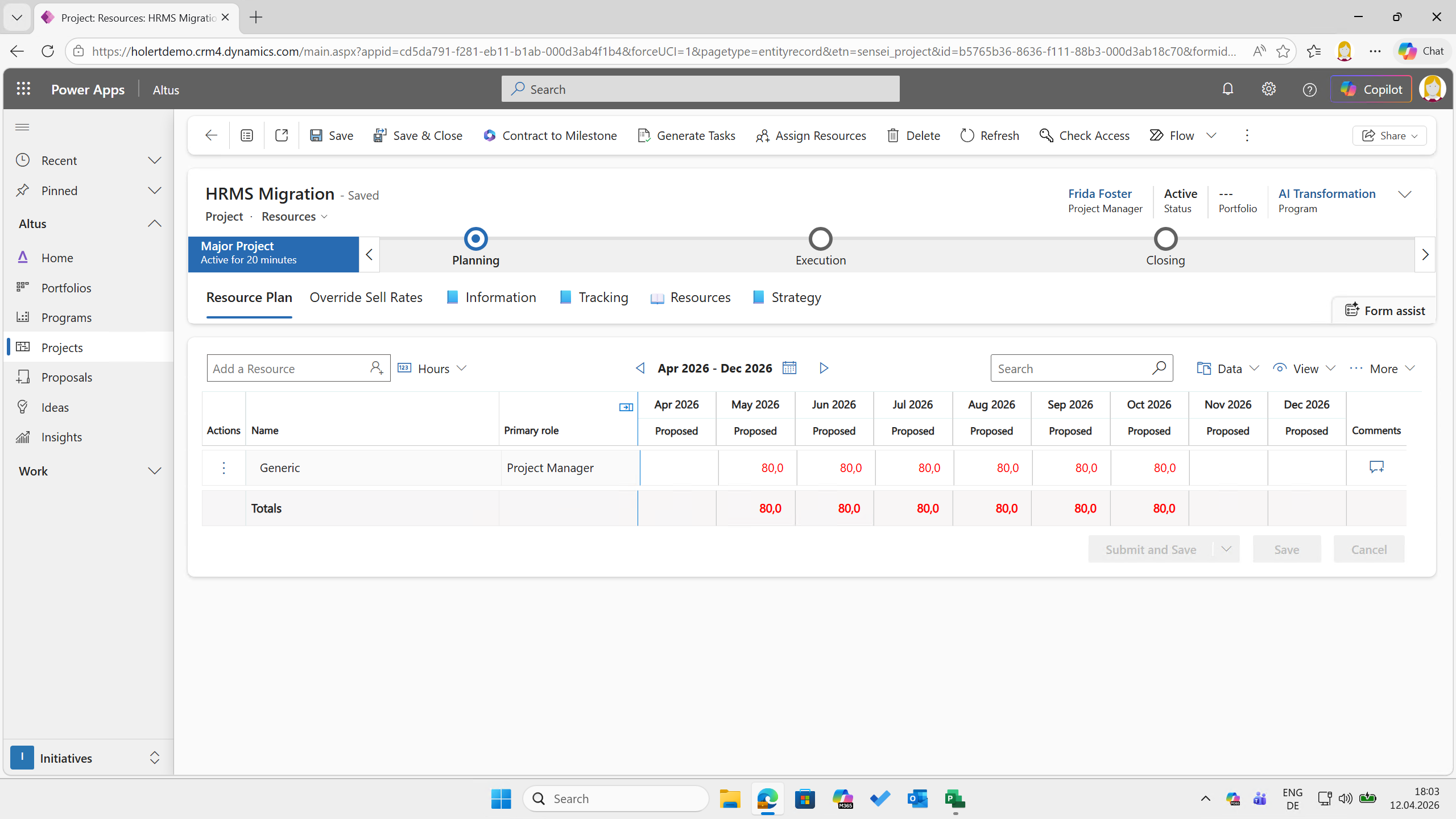
The example shows a resource demand of 80h per month from May to Oct 2026 for the role Project Manager in Altus.
Before a project is approved, a capacity check is carried out at the role level, making the impact of the new project on the roadmap immediately visible.
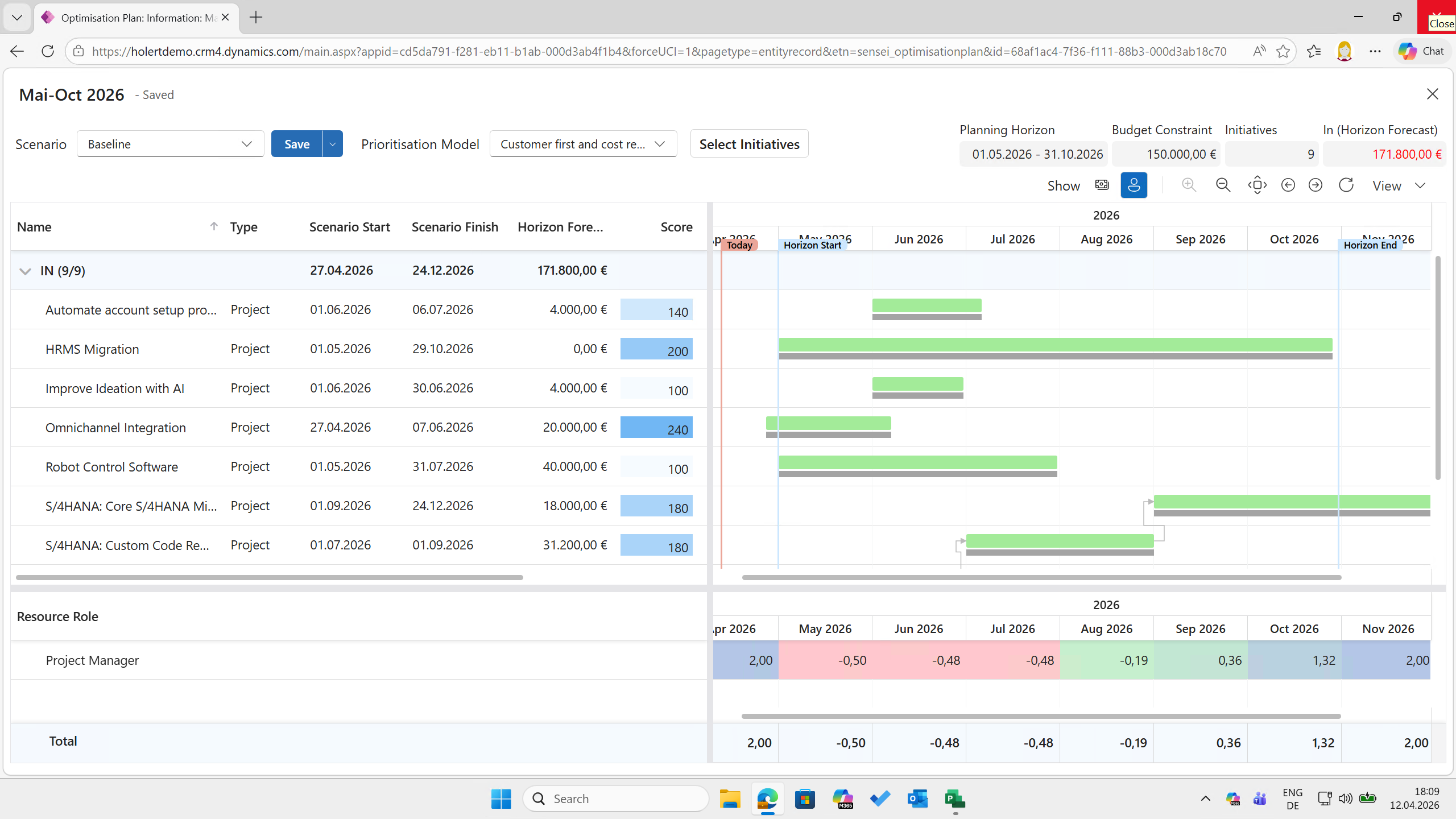
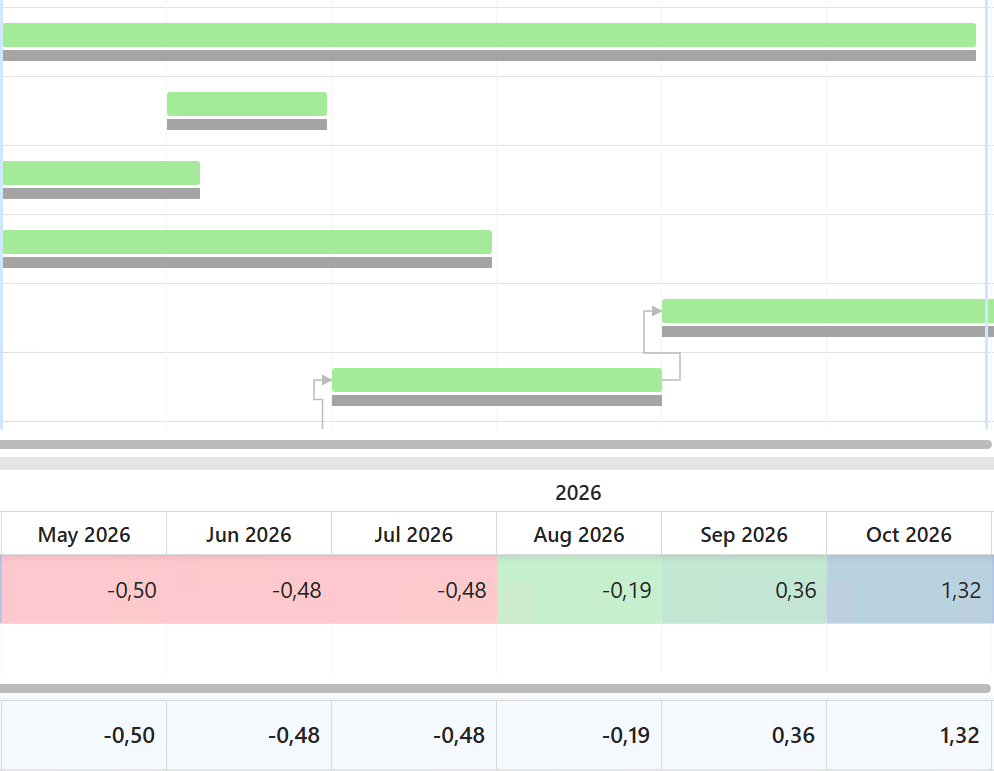
In the example, Altus shows that for the period from May to June 2026 there is a capacity shortfall of roughly half a full-time equivalent (cells highlighted in red).
The portfolio manager can now sort the projects by rank or other criteria and consider which project should be excluded or postponed, or how much capacity would need to be built up (scenario analysis).
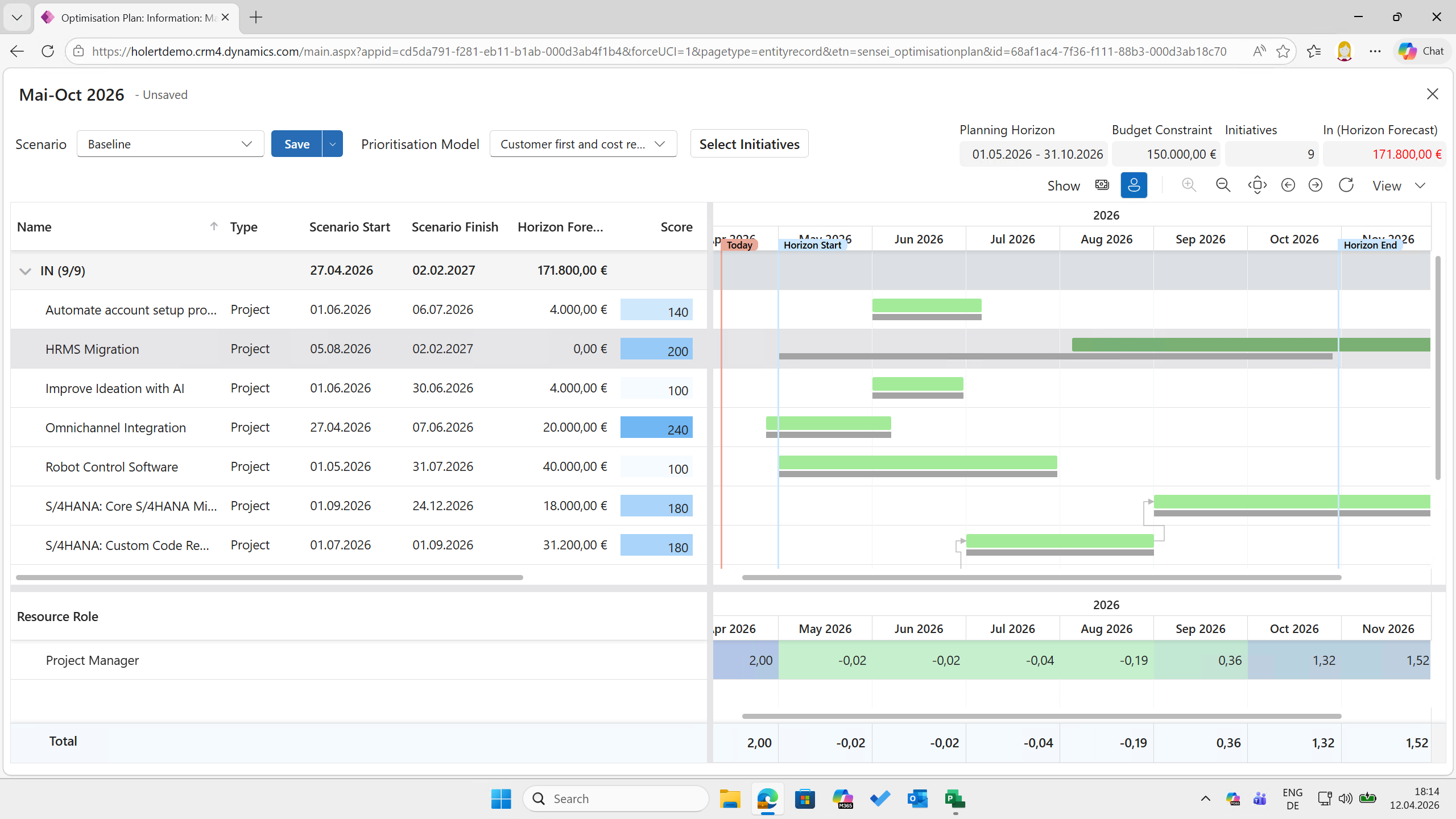
In the example, the HRMS Migration project was postponed by three months, which largely resolved the resource overload (cells now highlighted in green).
Once the portfolio is approved, the abstract role demand is replaced by specific people. The software suggests suitable and available employees to the respective team leads. The team lead then selects the appropriate resource.
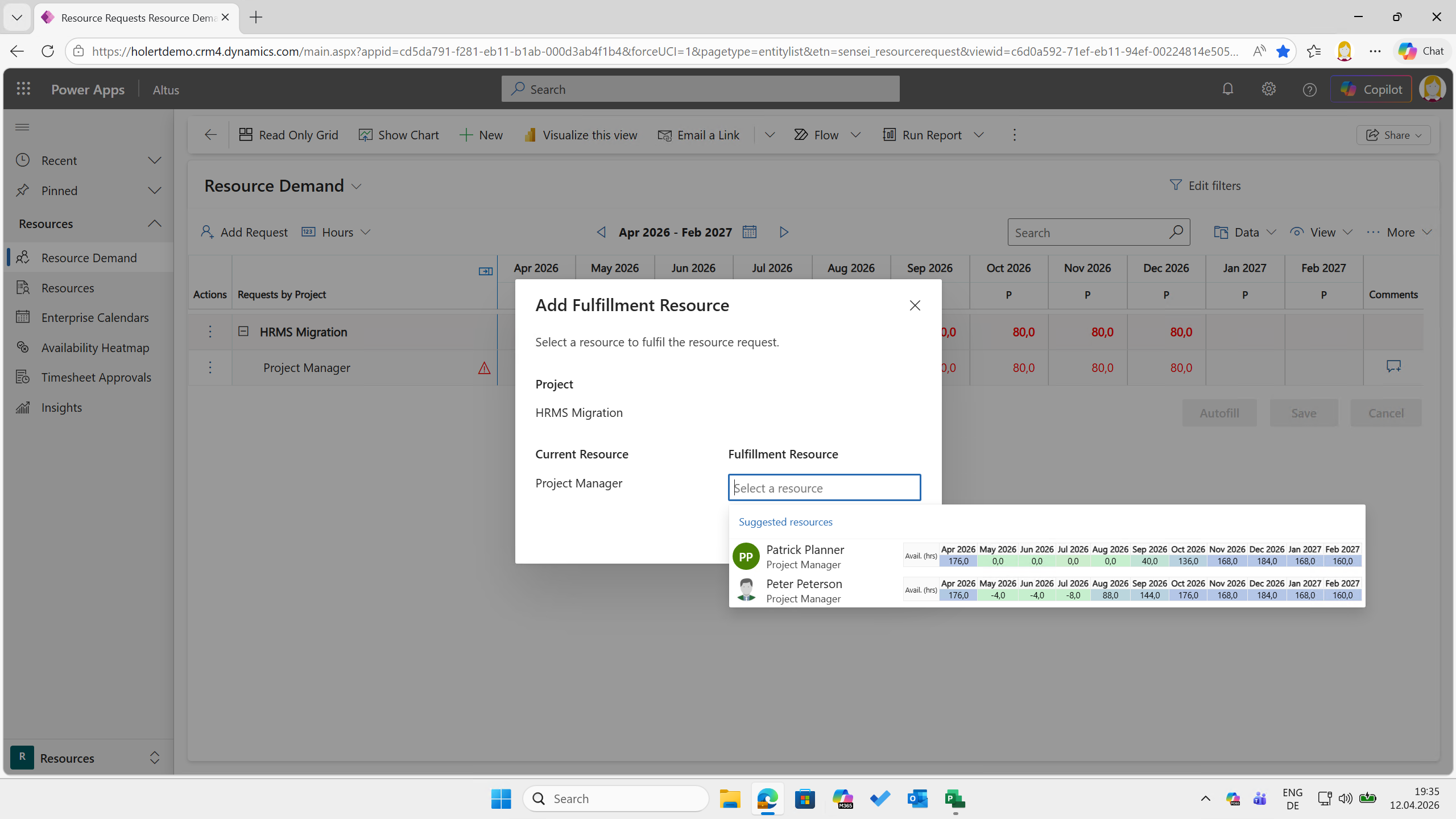
The example shows the Project Managers who still have capacity in the requested period. Since Peter Peterson has more capacity, the team lead selects him.
The team lead always has an overview of the team's utilization in the resource heatmap.
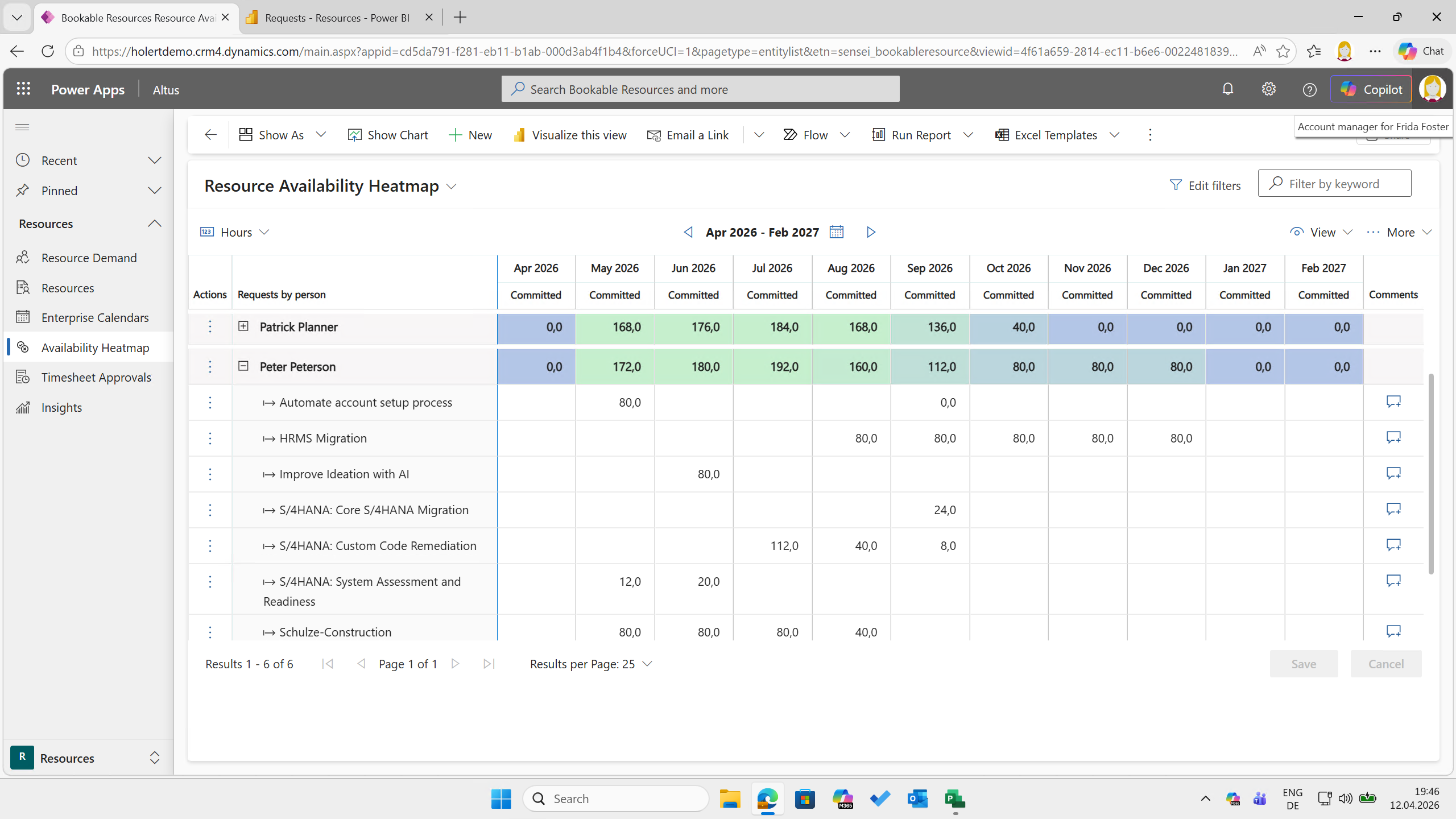
In the example, Peter Peterson is largely fully utilized until August; from September on, he has increasingly more capacity (indicated by the color changing from green to blue).
In addition, the complete overview of requested resource demand and fulfilled resource requests is always available at any time in the Power BI reports.
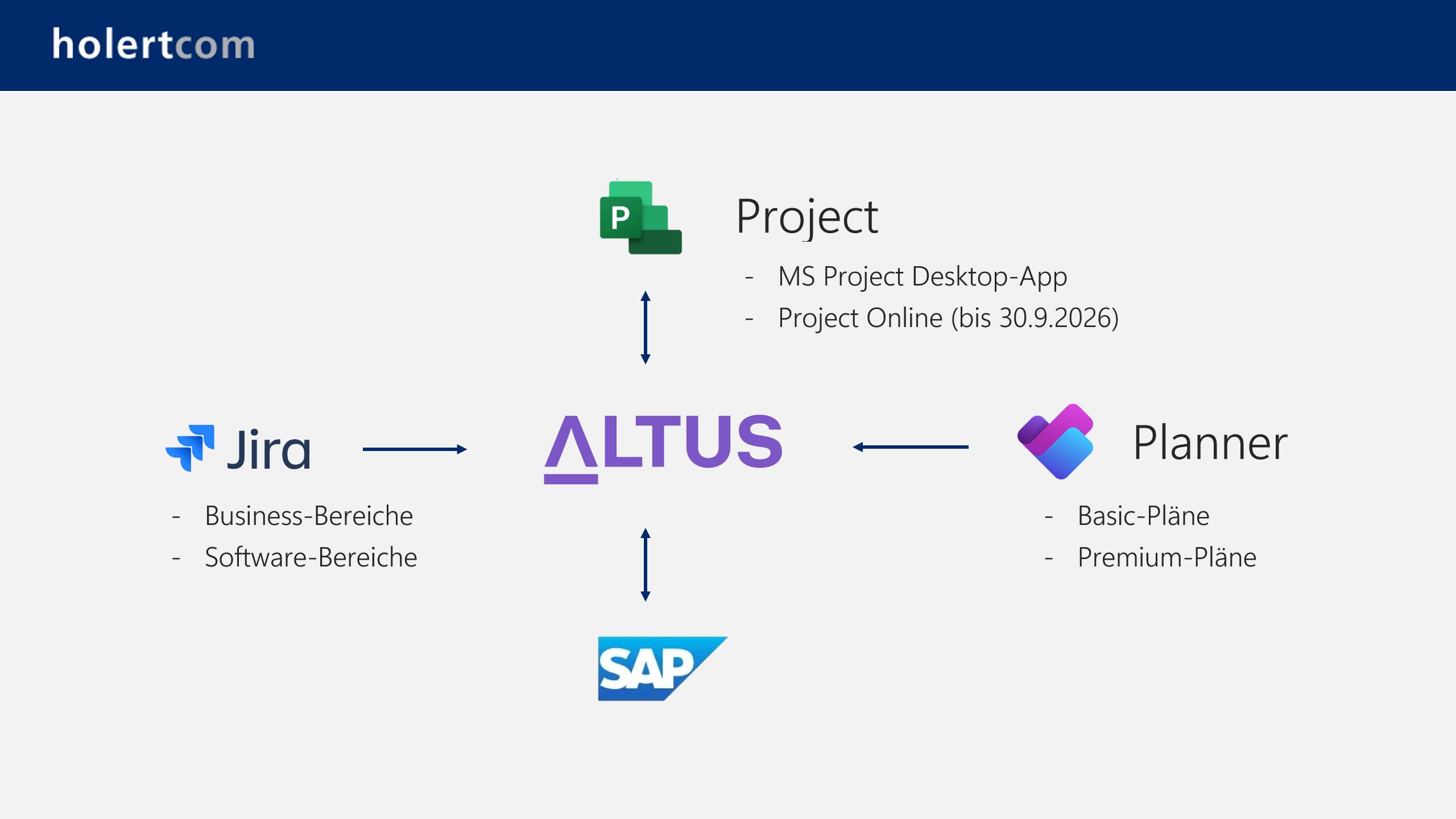
Since Altus is integrated with many operational task and project management tools as well as agile work management tools such as Planner, MS Project, Azure DevOps, and Jira, you can see the comparison between planning at the management and execution level at any time.
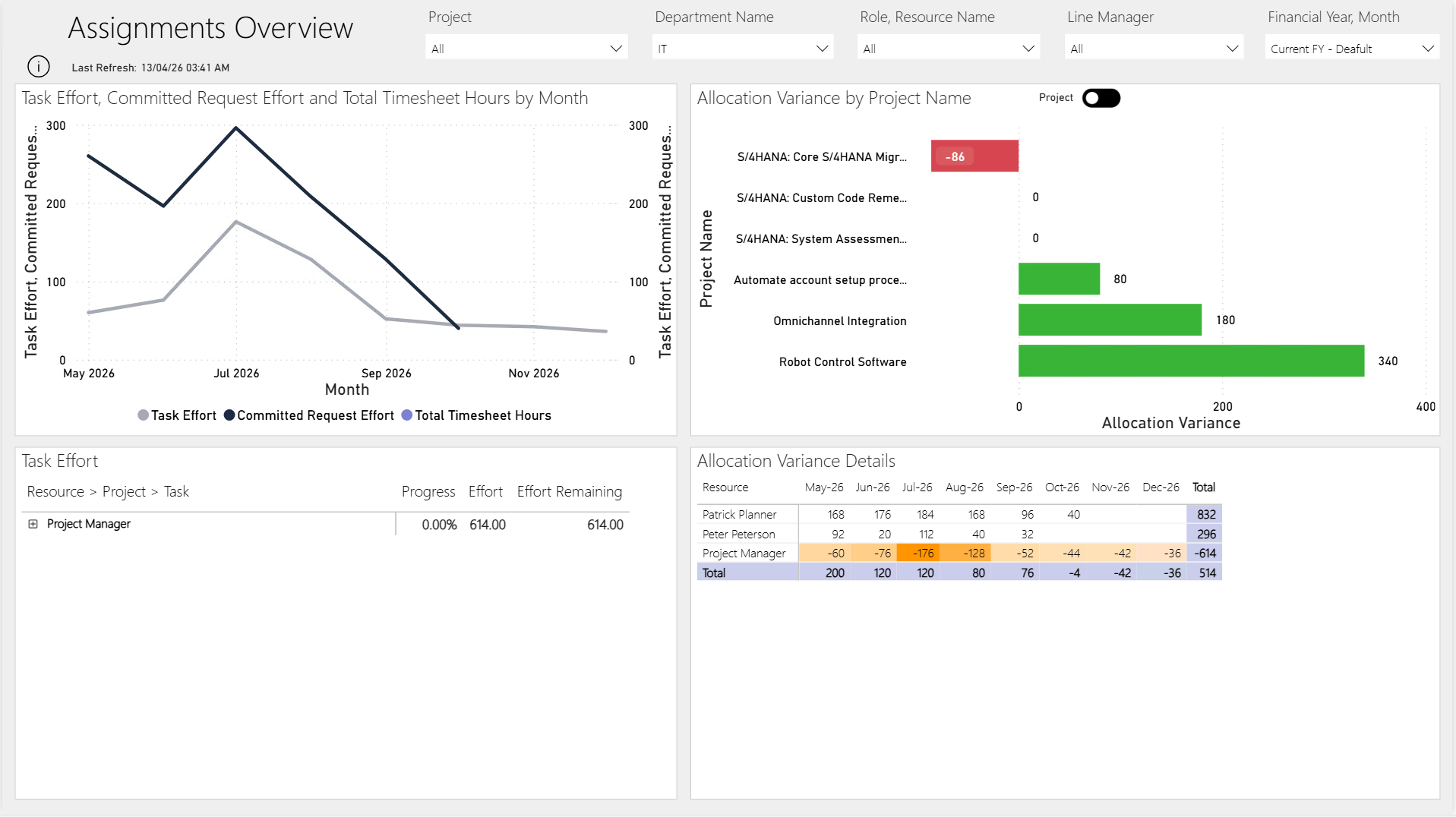
In the example, the Altus Power BI report shows in the top right that in the project S/4HANA: Core S/4HANA Migration, 86 hours more are scheduled in the project plan than committed by the team lead, while for the other projects the effort is either covered or more has been requested than is currently scheduled (green bars).
The cycle is closed by capturing actual effort. Altus can thus be used as a time tracking system for all connected operational systems. By comparing planned and actual values, deviations can be identified quickly and taken into account in further planning.
By implementing this structured resource management process with the support of Holert, companies achieve measurable benefits:
A practical example of this leap in maturity is the LAPP Group. By using Altus PPM in combination with Jira, the world's leading manufacturer of cables and connection solutions continues to strengthen its position.
A role model, a capacity overview and a Power BI report are quickly set up. Implementation is the hard part: roles and skills must be defined cleanly, planning levels clearly separated, Planner, Jira or MS Project reliably connected, and team leads trained to maintain the plan data. Without this foundation, resource management remains a spreadsheet exercise with a nicer interface.
Holert supports you with selection, implementation, optimization and training for Altus PPM on Microsoft 365 and Atlassian, guided by PMI and SAFe. The Holert Smart Start fixed-price package offers a fast start. How we have done this for customers such as LAPP is shown in our customer references.
 Renke Holert : Jun 7, 2026, 11:47:25 AM
Efficient project management with Microsoft Teams: how Teams streamlines collaboration, communication, and integrates Microsoft project tools...
 Renke Holert : Jun 7, 2026, 11:47:25 AM
Comparison of Microsoft Planner, Atlassian Jira, and Altus PPM: features, interplay, and suitability for comprehensive project and portfolio...
 Renke Holert : Jun 7, 2026, 12:23:43 PM
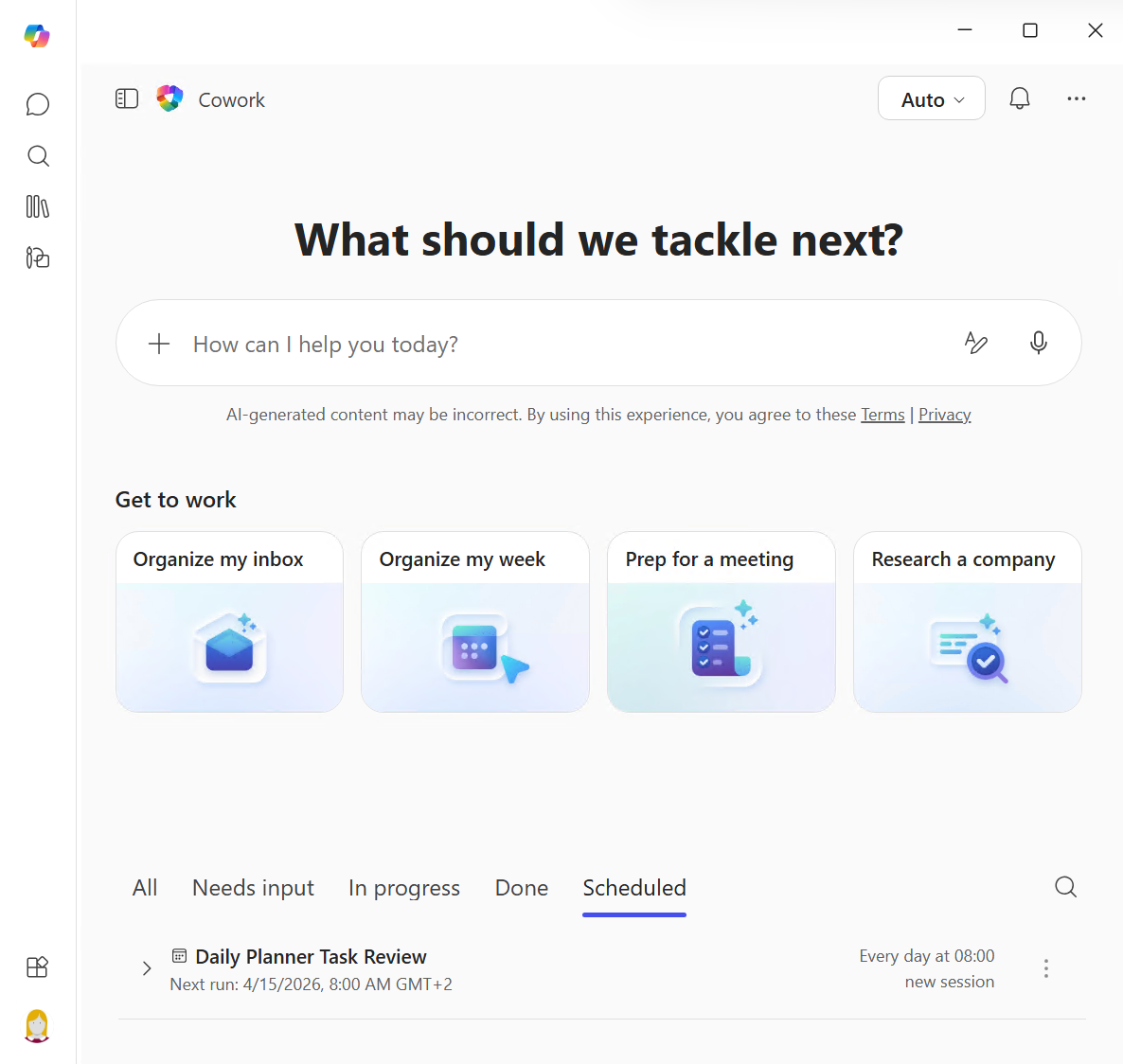
Copilot Cowork delegates multi-stage tasks to AI agents. What this means for PMOs, how MCP connects external systems and why Altus PPM is the ideal...